Best 3 Built-In Indicators for Pocket Option Mobile
Let's start with the single most important fact about trading on your phone. Custom MetaTrader indicators — the .ex4 and .ex5 files you download for MT4 and MT5 — do not run inside the Pocket Option mobile app. Those files only load on the Windows desktop MetaTrader platform. On iOS or Android, a workable strategy has to be built from the indicators that are already inside the Pocket Option app itself.
The good news is that the app ships with a solid set of built-in indicators, and three of them combine into a clear, honest framework you can use anywhere. Below are the three we lean on and what each one is actually for.
The Three Built-In Indicators
1. EMA (Exponential Moving Average) — Trend
The EMA reacts faster to recent price than a simple moving average, which makes it useful for reading direction on the short timeframes mobile traders tend to watch. A common setup is a faster EMA (for example 9) against a slower one (for example 21). When the faster line sits above the slower, the immediate bias is up; below, the bias is down. The EMA does not predict — it describes the trend that is already in place, and it lags at turning points.
2. RSI (Relative Strength Index) — Momentum
RSI measures the speed of recent price moves on a 0–100 scale, flagging when an asset is stretched into overbought (typically above 70) or oversold (below 30) territory. On the Pocket Option mobile chart it is a built-in choice. Treat it as context, not a trigger: in a strong trend RSI can sit "overbought" for a long time without reversing.
3. Bollinger Bands — Volatility
Bollinger Bands wrap the price in an upper and lower band set a couple of standard deviations from a moving average. They show you when a market is quiet (bands squeezing together) versus expanding (bands widening). Because this measures volatility rather than momentum, it adds a genuinely different read to the EMA and RSI instead of repeating them. If you swap it for the DeMarker or CCI, be aware those and RSI are all oscillators — stacking them gives you correlation, not independent confirmation.
How to Combine the Three on Mobile
Layering three tools does not multiply certainty; it filters out weaker setups. A reasonable rule of thumb on a 1-to-5-minute chart:
- Direction: take signals only in the direction the EMAs already point.
- Timing: wait for RSI to pull back out of an extreme in that same direction.
- Context: favour entries when the Bollinger Bands are expanding rather than flat and rangebound.
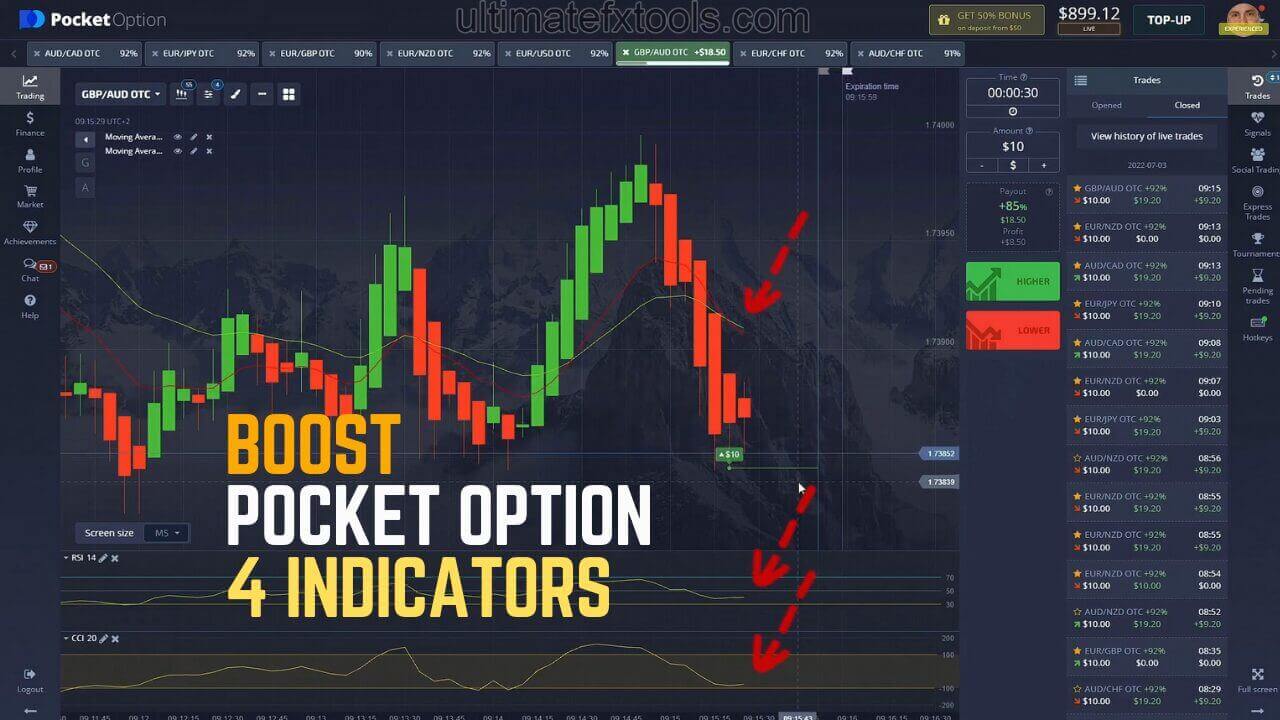
If two of the three disagree, the honest move is to skip the trade. For more ideas on trimming an over-crowded chart, see our Pocket Option 4-indicator strategy, and desktop users can compare the approach in our Pocket Option with MetaTrader 5 signal indicator guide.
Realistic Expectations
No indicator combination wins every trade, and short expiry times are noisy by nature. These three tools help you stay on the right side of the trend and avoid the worst impulse entries — that is their job. They will not remove losing streaks, and any figure you see quoting a fixed win rate should be treated with heavy scepticism. Test the setup on a demo account first, and judge it over many trades rather than a lucky handful.
Risk Management
Position sizing matters more than any indicator. Risk only a small, fixed fraction of your balance per trade so a run of losses cannot wipe you out. Avoid martingale-style stake doubling after a loss — it feels like a recovery system but it scales your risk fastest exactly when the market is working against you, and it can empty an account in a single bad streak. Set a daily loss limit, walk away when you hit it, and never trade money you cannot afford to lose.
For desktop MT4/MT5 users who want a wider toolkit beyond the built-in mobile set, our full library of 100+ indicators and strategies is available for a one-time $39 lifetime purchase — just remember those custom files run on the Windows platform, not inside the phone app.
Frequently Asked Questions
Do custom MT4/MT5 indicators work on the Pocket Option mobile app?
No. Custom .ex4 and .ex5 indicator files only load on the Windows desktop MetaTrader platform. The Pocket Option mobile app for iOS and Android supports only its own built-in indicators, so a mobile strategy has to be built from those.
Does this three-indicator strategy win every trade?
No. There is no indicator or combination that wins every trade. These tools filter setups and keep you aligned with the trend, but losing trades are a normal part of trading. Manage risk on every position.
Which timeframe suits these indicators on mobile?
Most mobile traders work the 1-to-5-minute charts. Shorter frames produce more signals but more noise, so many traders find a 5-minute chart a steadier place to read the EMA, RSI and Bollinger Bands together.
This content is for educational purposes only and is not financial advice. Trading involves substantial risk; you can lose some or all of your capital. No result is guaranteed and past performance does not indicate future results. Trade only what you can afford to lose.