Expert Option Trading Strategy with Exponential Moving Averages
This strategy pairs a simple two-line Exponential Moving Average (EMA) trend filter with the Sniper Pro Version 3 signal indicator on Expert Option. The idea is straightforward: the two EMAs tell you the direction of the current move, and the Sniper Pro V3 arrows give you a second layer of confirmation before you commit to a trade. Instead of guessing where price is heading, you wait for both tools to agree. A trend filter on its own can be noisy in a ranging market, and an arrow signal on its own can fire against the bigger picture. Combining them helps you filter out the weaker setups and focus on entries where momentum and direction line up.
The Setup: Two EMAs Plus Binary Sniper Pro V3
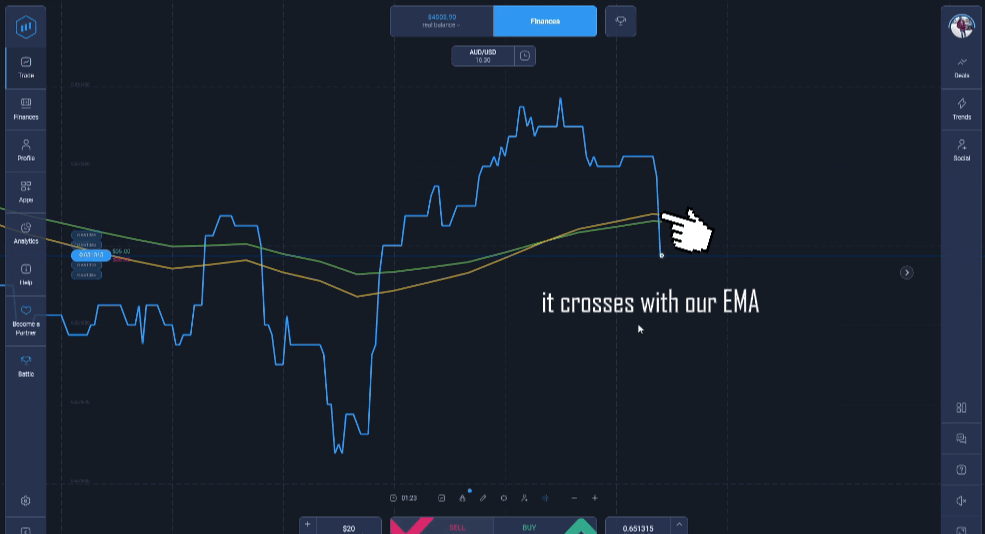
Add two Exponential Moving Averages to your Expert Option chart. Use a fast EMA with a period of 16 and a slower EMA with a period of 23. The fast line reacts quickly to new price action while the slower line smooths out the trend, so the gap and crossover between them describes the current momentum. When the fast EMA sits above the slow EMA, the market is leaning bullish; when it sits below, the market is leaning bearish.
Next, attach the Binary Sniper Pro V3 indicator. It plots arrow signals directly on the chart — an up arrow suggests a possible move higher and a down arrow suggests a possible move lower. Sniper Pro V3 is designed to flag reversals and continuation points, so it works well as a confirmation layer on top of the EMA trend filter. You are not acting on the arrows alone; you are only acting when an arrow appears in the same direction the EMAs are already pointing. If you are new to the signal tool, the two-EMA approach on other platforms shows the same trend-filter logic in action.
BUY (Higher) Rules
Look for an upward setup only when both tools agree:
- The fast EMA (16) has crossed above and is holding above the slow EMA (23).
- Price is trading above both EMAs, confirming buyers are in control.
- Binary Sniper Pro V3 prints an up arrow on the most recently closed candle.
- Enter a higher position as the next candle opens, in line with the crossover direction.
If the arrow appears while price is still below the EMAs or the lines are tangled together, skip the trade. A clean, separated EMA structure plus a fresh up arrow is the setup you are waiting for.
SELL (Lower) Rules
The SELL setup is the mirror image:
- The fast EMA (16) has crossed below and is holding below the slow EMA (23).
- Price is trading below both EMAs, confirming sellers are in control.
- Binary Sniper Pro V3 prints a down arrow on the most recently closed candle.
- Enter a lower position as the next candle opens, in line with the crossover direction.
Avoid taking a SELL just because an arrow appears. If the EMAs are flat or price is chopping across them, the trend filter is telling you there is no clear direction, and those are the conditions where signals tend to be least reliable.
Best Timeframes and Expiry
This setup works best on the 1-minute and 5-minute charts on Expert Option. On the 1-minute chart, match your expiry to the candle — a 1 to 2 minute expiry keeps the trade aligned with the signal that triggered it. On the 5-minute chart, a 5 to 10 minute expiry gives the move room to develop. As a general rule, keep your expiry close to the timeframe you are reading so the trade resolves within the same momentum window that produced the arrow. Trading during active market hours, when price moves with more direction, tends to produce cleaner EMA crossovers than quiet, low-volume periods.
Risk Management
No indicator combination reads the market correctly every time, so treat position sizing as part of the strategy rather than an afterthought. Risk only a small, fixed portion of your balance on each trade — many traders cap this at 1 to 2 percent — so a run of losing trades never damages your account badly. Set yourself a daily limit on the number of trades and a stop-for-the-day threshold, then walk away once you hit either. Chasing losses is what turns a normal losing streak into a serious drawdown. Practising the setup on a demo account first lets you learn how the EMAs and Sniper Pro V3 arrows behave together before you risk real funds. For the full Binary Sniper Pro V3 indicator and the rest of the toolkit, see our $39 lifetime access package.
If you want to compare related signal-based methods, take a look at the original Binary Sniper Pro indicator and this Expert Option strategy built around Sniper Pro V3.
FAQ
Does Binary Sniper Pro V3 repaint its signals?
The rules in this guide are built around signals that confirm on a closed candle. When you wait for the candle that produced the arrow to close before entering, you are reading a fixed, confirmed signal rather than one that is still forming. Always judge an arrow on the completed candle, not on live price that can still shift before the candle closes.
Which EMA periods should I use?
This strategy uses a fast EMA of 16 and a slow EMA of 23. The fast line reacts to recent price while the slow line defines the underlying trend, and the relationship between them is what filters your entries. You can adjust the periods slightly to suit your chart, but keep a clear gap between the fast and slow values so the crossover stays meaningful.
What platforms does this work on?
The concept applies to most binary and short-term options platforms, but this guide is written specifically for Expert Option. The two EMAs are standard on the platform, and Binary Sniper Pro V3 is delivered as an MT4/MT5 indicator that you read alongside your Expert Option chart for confirmation.
This content is for educational purposes only. Trading involves risk. Past results do not guarantee future outcomes. Always practice responsible money management and limit your daily trades to avoid large losses.