Free Metatrader 5 Binary Options
☆☆☆☆☆ Rated 3 out of 5MetaTrader 5 (MT5) is one of the most popular free charting platforms in the world, and many traders use it as a signal-reading companion when they trade binary or fixed-time options. The idea is simple: you read the market on an MT5 chart using its built-in indicators, wait for a clean setup, and then place your call or put trade on your fixed-time-options platform. MT5 itself, together with its standard indicator library, is completely free to download and use.
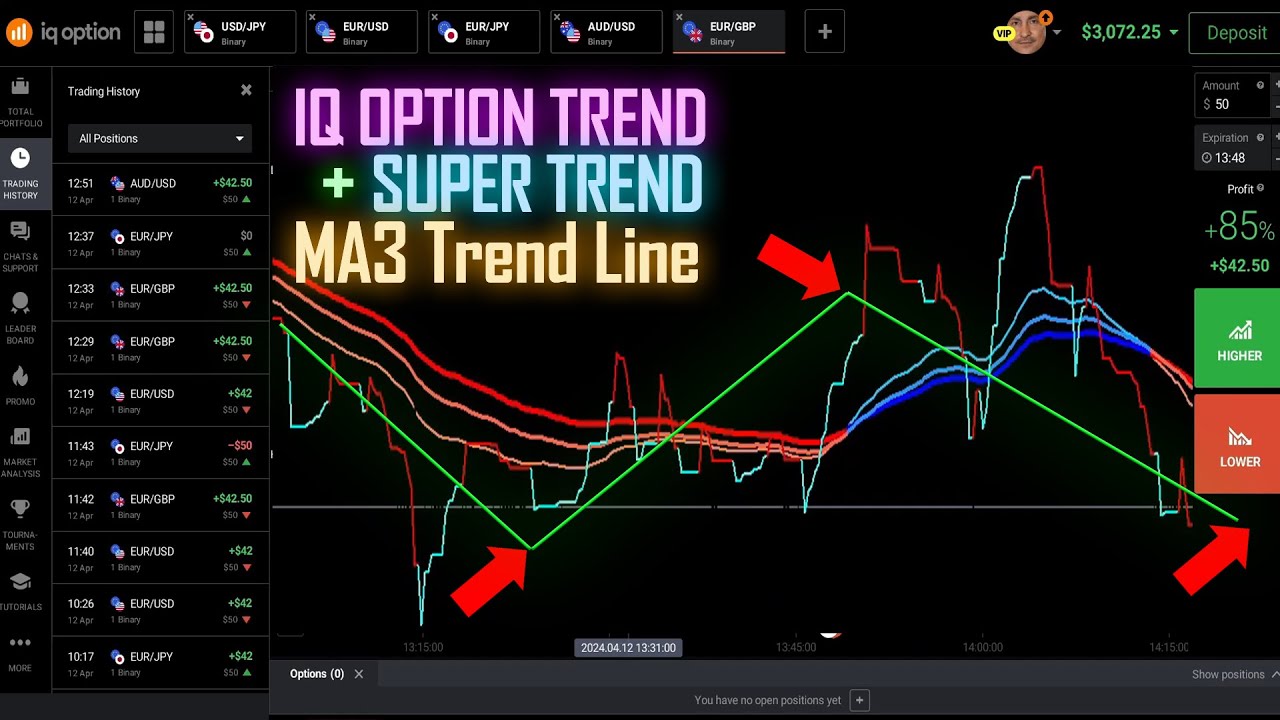
We have Free Metatrader 5 indicators, such as the MA3 Trend Indicator and the Super Trend Indicator attached with our Binary Sniper Pro Version 3, so you can receive trading alerts to make informed trading decisions.
A sell alert signal was triggered indicating a potential trading opportunity. Before making any trades, it's essential to analyze the market trends. The MA3 indicator shows an uptrend state, while the Super Trend Line suggests a shift towards a downtrend.
Setting Up MetaTrader 5 for Free
Getting started costs nothing. Download MT5 from the official MetaTrader website or from a broker that bundles it, then install it on your computer. To see live price charts you simply open a free demo account with any broker that supports MT5 — the demo gives you real-time charts and full access to every built-in indicator without funding anything. Once the platform is open, pick a currency pair such as EUR/USD, drop it onto a chart, and you are ready to start reading price action. Many traders keep MT5 open on one screen for analysis while their options platform sits on another.
Useful Free Built-In MT5 Indicators
MT5 ships with dozens of indicators under the Insert → Indicators menu, and several are well suited to short-term options analysis:
- Moving Averages (SMA / EMA) — for reading trend direction and dynamic support and resistance.
- MACD — for spotting momentum shifts and possible reversals.
- RSI and Stochastic — for identifying overbought and oversold conditions.
- Bollinger Bands — for gauging volatility and price extremes.
To optimize your analysis, install the indicators you want on the MetaTrader 5 chart first. You can access additional free community indicators by visiting mql5.com. By combining tools like the Super Trend Line and MA3 Trend MT5 indicator, you can build a clearer picture of the market before each trade.
Turning an MT5 Signal Into a Call or Put Trade
MT5 does not place binary trades itself, so the workflow is to read the signal on the chart and then act on your options platform. When your indicators line up to the upside — for example price holding above a rising moving average with momentum turning up — that points toward a call (higher) trade. When the same tools point down, that suggests a put (lower) trade. The key is confluence: wait until two or more indicators agree, then switch to your platform, choose the same pair, set your expiry, and place the trade.
Best Timeframes and Risk Management
For fixed-time options, match your chart timeframe roughly to your expiry. If you plan to trade 1- to 5-minute expiries, read signals on the M1 or M5 chart; for longer expiries move up to M15 or higher. Whatever you choose, focus on risk management: keep each trade to a small, fixed fraction of your balance, avoid revenge trading after a losing streak, and cap the number of trades you take per day. Consistency comes from discipline, not from chasing every candle.
IQ Option Trend - Super Trend with MA3 Trend Line
If you want a step-by-step on the platform itself, see our guide on how to create a free MT5 account with a broker, then explore free MetaTrader 5 indicators for fixed-time options and the best MetaTrader trading signal setup for binary options. If you would rather skip the setup and download our full indicator library — MA3 Trend and Super Trend included — check the pricing page for one-time lifetime access.
FAQ
Is MetaTrader 5 free?
Yes. MT5 and its full set of built-in indicators are free to download and use. You only need a free demo or live account with a broker to load live charts — you never have to pay for the platform itself.
Do custom indicators need a Windows PC?
The MT5 desktop app runs natively on Windows, and custom .ex5 indicators load easily there. On macOS you can run it through a compatibility layer, but the mobile apps do not support custom-coded indicators — so for custom tools like MA3 Trend, a Windows PC or VPS is the most reliable option.
Which platforms can I use these signals on?
You read the signals on MT5 and place the actual trade on popular fixed-time-options platforms such as IQ Option, Pocket Option, Quotex, and Olymp Trade. The workflow is the same on each: analyze on MT5, then place your call or put on the platform.
This content is for educational purposes only. Trading involves risk. Past results do not guarantee future outcomes. Always practice responsible money management and limit your daily trades to avoid large losses.