Olymp Trade 1 Minute Strategy
Trading a fixed 1-minute duration on Olymp Trade is fast and simple to set up, but the short timeframe is also where the challenge lives. On a 60-second chart, price is dominated by noise: a single spike, a news tick, or normal spread can flip the outcome of an otherwise reasonable read. This walkthrough shows how the Smart Trade arrow indicator and the Binary FX Pro colour bars can be combined on a MetaTrader 4 chart to structure entries — while being honest about what a 1-minute approach can and cannot do.
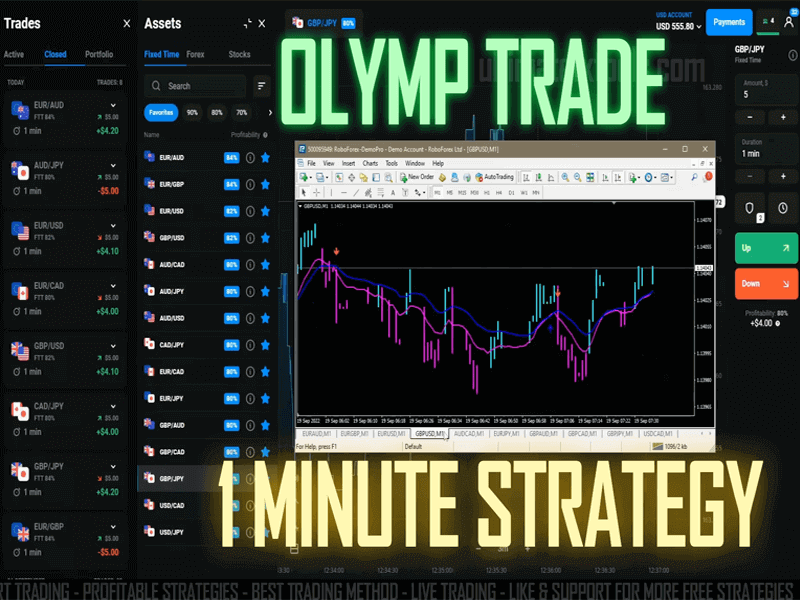
The goal here is not a magic setup. It is a repeatable routine: read the trend, wait for agreement between two tools, and only then consider a trade. The video near the bottom of this page demonstrates the chart layout in action.
What the Two Indicators Do
Smart Trade
The Smart Trade indicator plots arrow alerts that suggest a possible direction for the next move, based on recent price action. It ships in two variants: version (1) is tuned for faster scalping reads, while version (2) is smoother and leans toward the broader trend. On a 1-minute chart, many traders use version (2) as the primary filter so that fewer, cleaner signals get through.
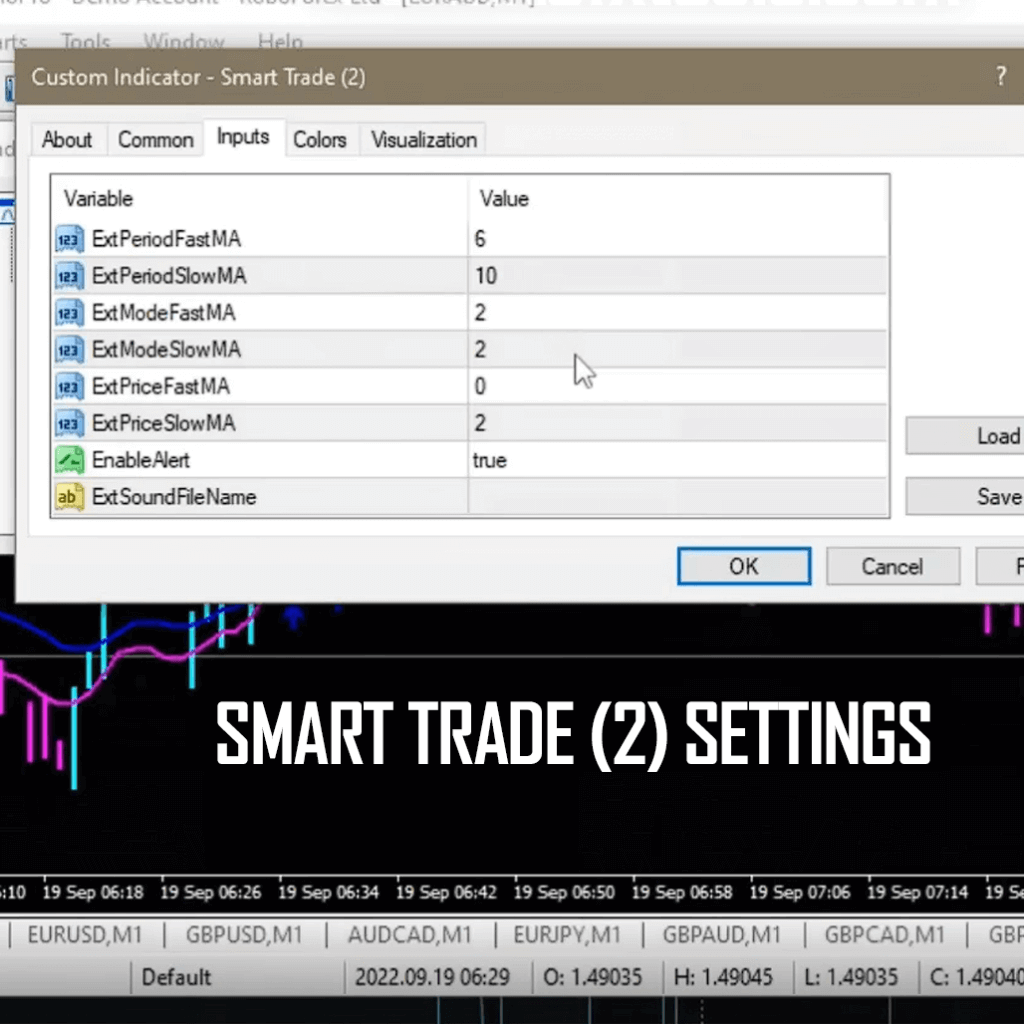
Binary FX Pro Bars
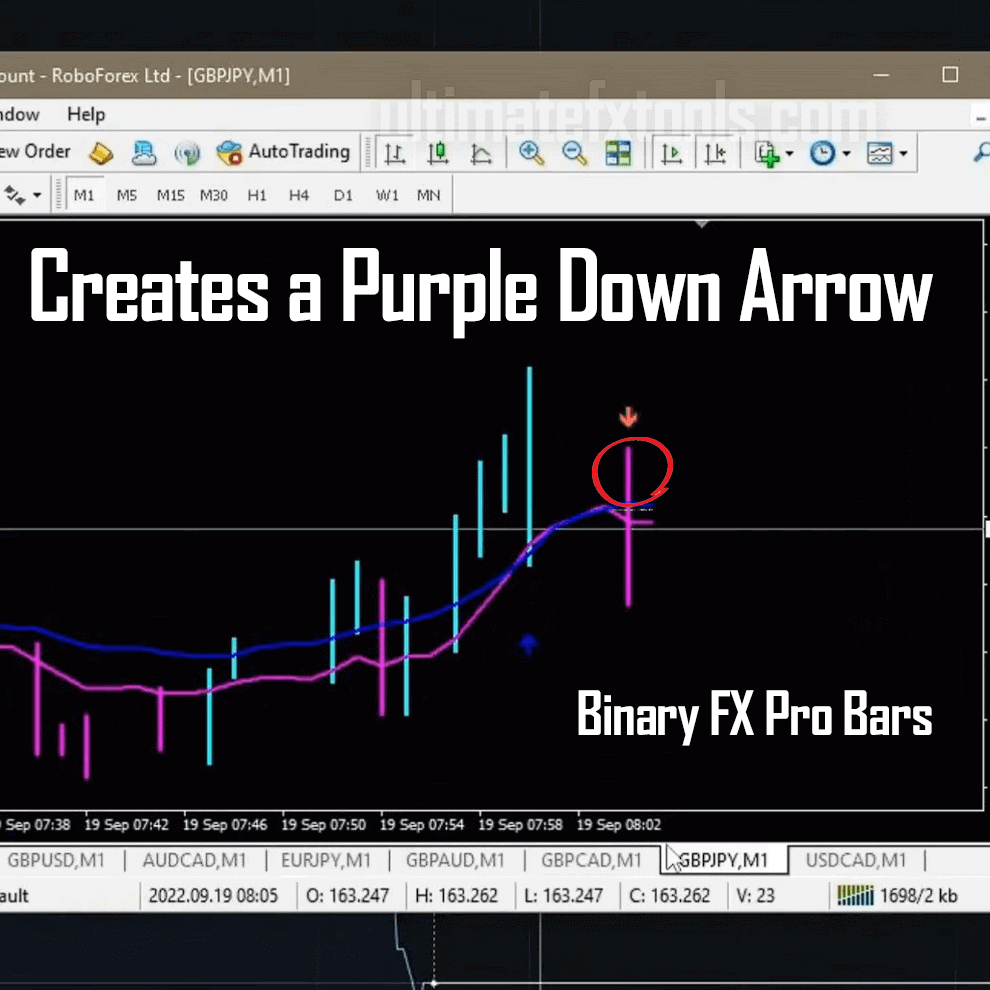
Binary FX Pro Bars recolour the candles to make direction easier to see at a glance: cyan bars when momentum turns up, purple bars when it turns down. Used together, Smart Trade supplies the arrow and Binary FX Pro confirms whether the current bar colour agrees with it. When the two disagree, that is a signal to stand aside rather than force a trade.
The Repaint Caveat You Should Know
Arrow indicators like Smart Trade can repaint. That means a signal you see forming on the live candle may shift or disappear once the candle closes, because the calculation updates with each new tick. This is normal behaviour for many alert tools, but it matters a great deal on a 1-minute chart where you have very little time to react. The practical fix is to treat a signal as valid only after the candle that produced it has fully closed, and to confirm it against the Binary FX Pro bar colour before acting.
Timeframe and Entry Rules
Attach Binary FX Pro Bars and Smart Trade (2) to an M1 chart in MetaTrader 4, then look for confirmation rather than a single trigger:
- Wait for a Smart Trade arrow to print and for its candle to close.
- Check that the Binary FX Pro bar colour agrees — cyan for an up read, purple for a down read.
- Favour signals that align with the wider trend on the M5 chart; trade against a strong higher-timeframe direction only with extra caution.
- Skip signals that appear during major news or unusually wide spread, when 1-minute noise is highest.
Realistic Expectations
A 1-minute strategy is high-variance by nature. Even a well-followed setup will produce losing streaks, and the shorter the duration, the larger the role of randomness. Confirmation between two indicators is meant to filter out weak signals, not to remove losses. Test the setup on a demo account first, keep a written record of every trade, and judge the approach over a large sample rather than a handful of results.
Risk Management
Because outcomes are variable, risk control is the part of the plan that actually protects your account. Risk only a small, fixed percentage of your balance per trade so that a normal losing run cannot do lasting damage. Set a daily loss limit and stop for the day when you reach it. Avoid martingale-style position sizing, where you increase stake size after a loss to chase it back — on a high-variance 1-minute chart this can drain a balance very quickly. Trade a size you would be comfortable losing on any single position.
FAQ
Does this strategy win every trade?
No. No indicator combination wins every trade, and anyone claiming otherwise is not being truthful. Smart Trade and Binary FX Pro aim to filter for higher-quality setups, but losses are a normal and expected part of trading, especially on a 1-minute timeframe.
Can Smart Trade signals change after they appear?
Yes. Arrow indicators can repaint while the current candle is still open. Wait for the candle to close before treating a signal as confirmed, and cross-check it with the Binary FX Pro bar colour.
Where can I get these indicators?
Both indicators are part of the full toolkit available through our $39 lifetime access, which includes the MT4/MT5 files and future updates. If you are new, start on a demo account before risking real capital.
Olymp Trade 1 Minute Strategy
This content is for educational purposes only and is not financial advice. Trading involves substantial risk; you can lose some or all of your capital. No result is guaranteed and past performance does not indicate future results. Trade only what you can afford to lose.