What We Tested — Olymp Trade with Heiken Ashi and PipGems AI Scanner
On the Olymp Trade platform, we started with a 10-second candle timeframe and a single indicator on the chart: the ZigZag. From there, we opened the PipGems AI Scanner app and matched every setting to what was live on the chart. The idea was simple — scan the chart, let the AI read the Heiken Ashi structure and ZigZag pattern, then trade the signal.
This isn't a backtested theory. It's a real session walkthrough — wins, one loss, and what we changed afterward to improve confirmation. We also use ShareX Screen Capture to upload our chart images to the AI Scanner, though you can just as easily use your phone camera pointed at the screen. A full ShareX setup tutorial is linked in our YouTube description if you need it.
Setting Up: Olymp Trade Chart and AI Scanner
Before the first scan, both the trading platform and the AI Scanner need to be configured with identical settings. Mismatched configurations are the most common reason the AI misreads the chart — if your platform is on standard candlesticks but the Scanner is set to Heiken Ashi, the signal will be off.
Here is the exact setup we used throughout this session:
PipGems AI Scanner — Session Settings
Once these settings were locked in on both the Olymp Trade chart and the AI Scanner, we were ready to start scanning. The ZigZag was the only indicator in the first half of the session. The EMA was added later after a losing trade — more on that below.
First Scan — Call Prediction, Clean Win
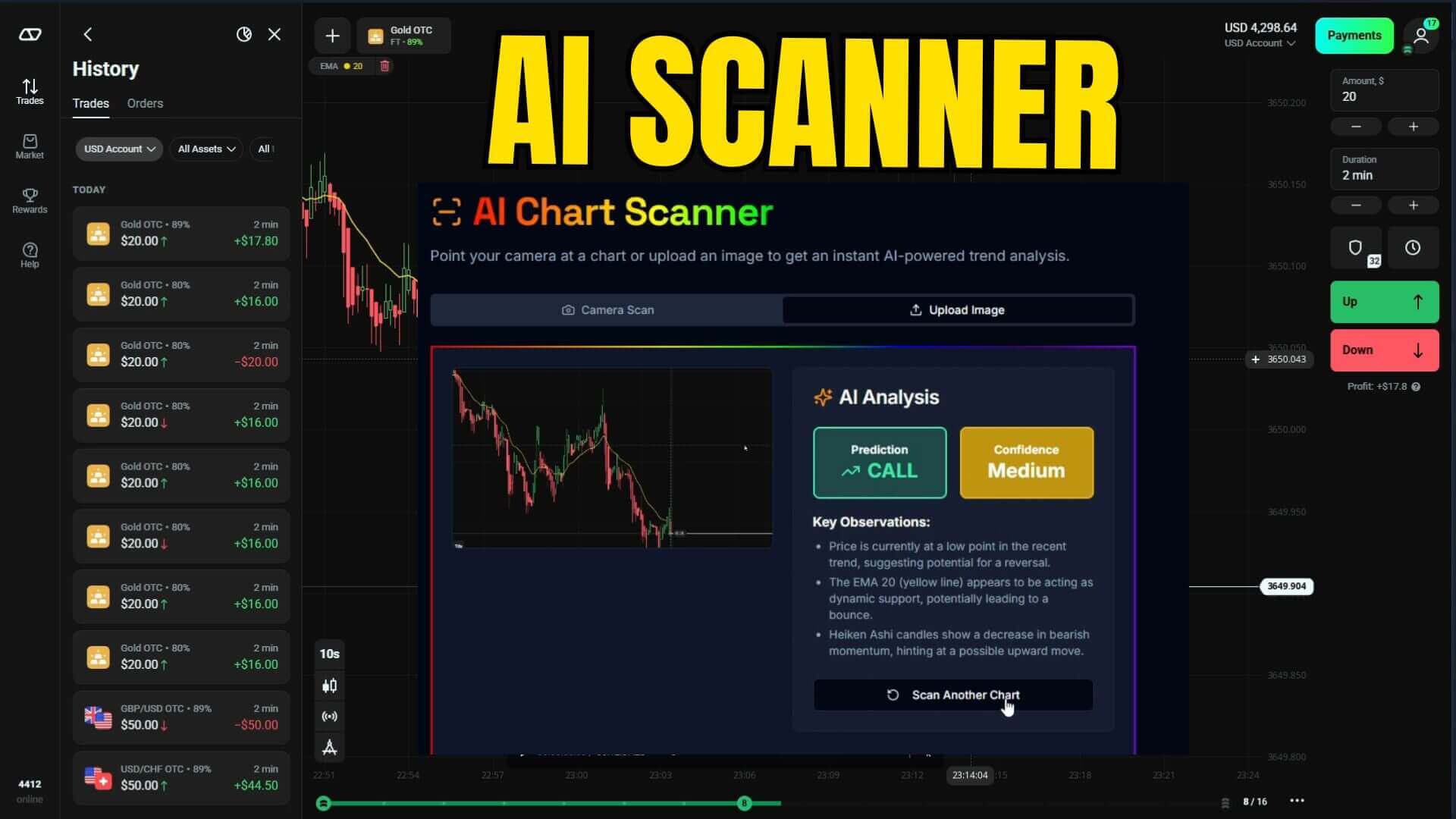
We captured the live Olymp Trade chart using ShareX and uploaded the screenshot directly to the PipGems AI Scanner. The AI returned a Call prediction — trade up. The key observation from the AI was clear: the ZigZag line was extending and the trend direction was visibly upward based on the Heiken Ashi candle structure.
We went ahead and traded up. The ZigZag indicator extended its line, the trend continued moving upward exactly as predicted, and we closed with a clean winning trade.
This is the core of what makes this setup work: Heiken Ashi candles smooth out short-term noise, and when the ZigZag agrees on the direction, the AI has a strong basis for its signal. The first trade was a textbook example of all three elements aligning.
Euro USD — Put at Medium Confidence
For the second trade, we moved to Euro USD — a currency pair that consistently performs well across different market conditions. After scanning and uploading the chart to the PipGems AI Scanner, the analysis came back with a Put prediction at medium confidence.
The AI's key observation on this one was specific: the ZigZag suggested price had reached a peak and was likely to reverse downward, while the Heiken Ashi candles were showing signs of exhaustion at the top. Medium confidence means the signal is valid but the setup isn't perfect — it's a 50/50 read with a slight lean toward down.
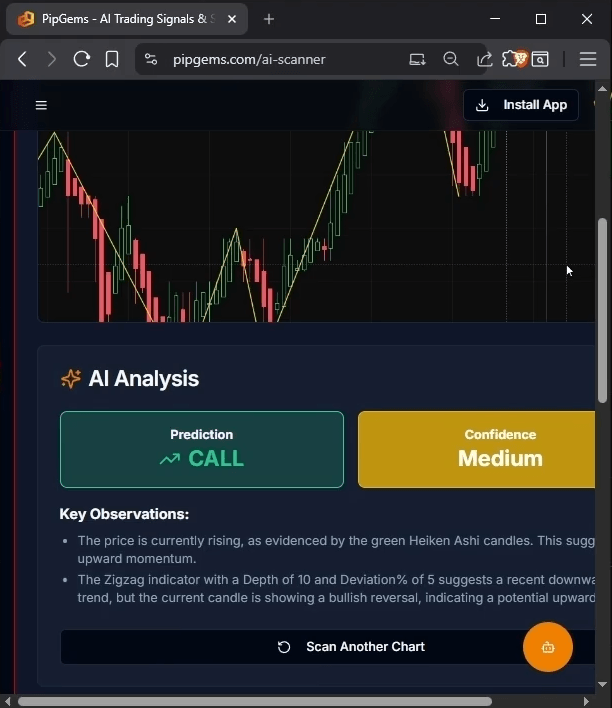
We leaned into the downtrend signal. Price reversed downward from the ZigZag peak exactly as the AI described, and we collected a winning trade.
Medium confidence doesn't mean skip the trade — it means read the AI's reasoning carefully. When the ZigZag peak and Heiken Ashi exhaustion both point the same way, the edge is still there. It just requires more attention to context.
GBP USD — Put Signal, Another Win
We moved on to GBP USD, scanned the chart, and uploaded it to the PipGems AI Scanner. The AI analyzed the market structure and generated a Put signal. We took the trade going down, and it resolved as another clean winning trade — the trend moved down without hesitation and the 1-minute duration expired in profit.
Three trades in, three wins. The Heiken Ashi and ZigZag combination was giving the AI clean, readable signals with clear directional bias. At this point the session was going smoothly — but the next trade changed that.
A Losing Trade — and What We Did About It
The AI returned another downward signal. We took the trade going down, and this time the market didn't cooperate — we lost the trade. The signal had looked valid, the ZigZag was in a downward sequence, and the Heiken Ashi candles were consistent with a bearish continuation. But price reversed against us within the 1-minute window.
Rather than moving on and trying to recoup with the next signal, we paused and asked: what's missing from the setup?
The answer was a second layer of confirmation. The ZigZag alone tells you where the price has been; it doesn't always tell you whether the current momentum supports the trade direction. We needed a trend-following indicator to add that confirmation layer — and we chose the EMA (Exponential Moving Average).
ZigZag is excellent at identifying turning points, but it lags on confirming active momentum. Adding a second indicator like the EMA gives you a real-time trend read that the ZigZag alone cannot provide.
Adding EMA for Stronger Confirmation
We added the EMA (Exponential Moving Average) at period 20 to the Olymp Trade chart. To keep both indicators visually distinct and easy to read on the 10-second Heiken Ashi chart, we used specific colors for each:
- ZigZag color changed to purple — clearly visible against the Heiken Ashi candles
- EMA displayed as a yellow line — easy to distinguish from the purple ZigZag
Both indicators are now on the chart. The next step was to update the PipGems AI Scanner settings to reflect the same dual-indicator setup — so the AI would be analyzing the same chart the platform was displaying.
Updated Scanner Settings — ZigZag + EMA
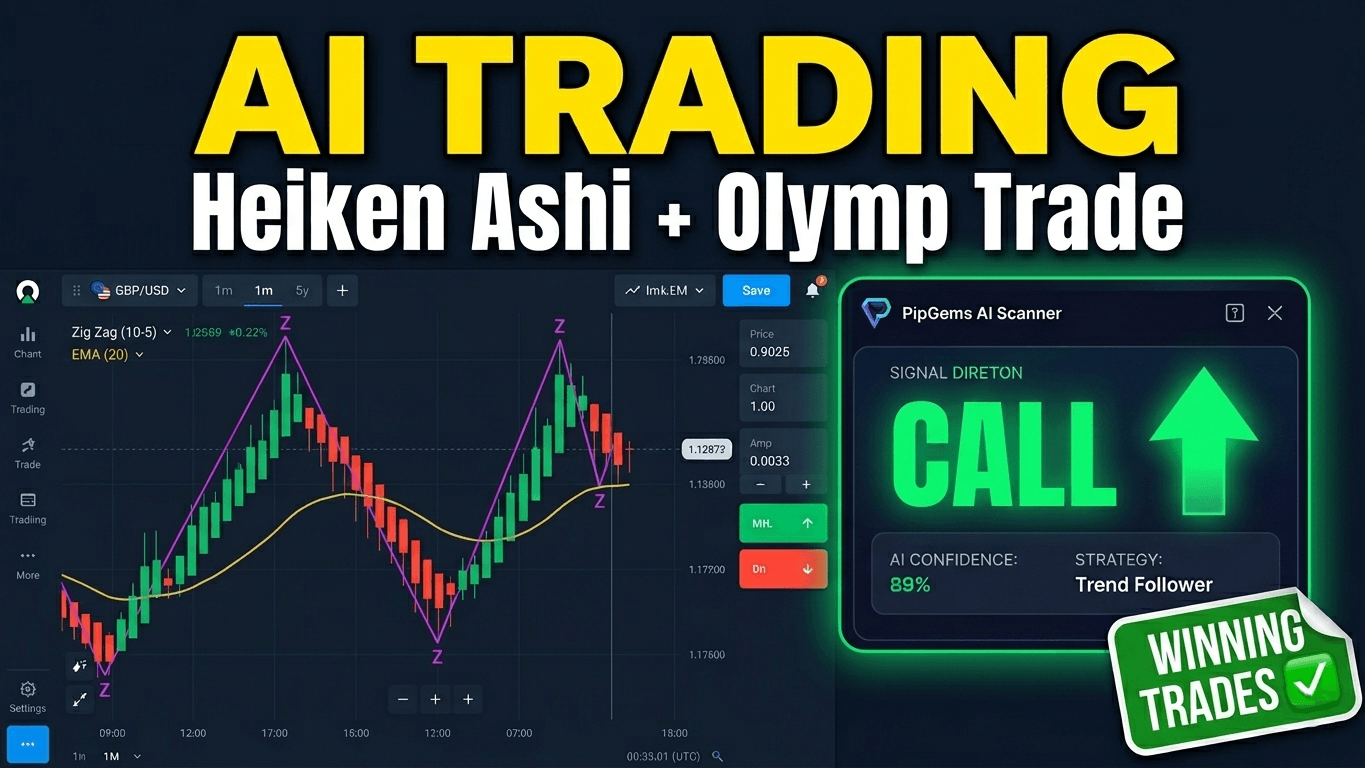
With both indicators updated in the Scanner, we scanned and uploaded the new chart. The AI came back with a Call signal. The EMA was trending in the same direction as the ZigZag's extension, confirming the upward bias — exactly the kind of dual confirmation the setup was designed to produce.
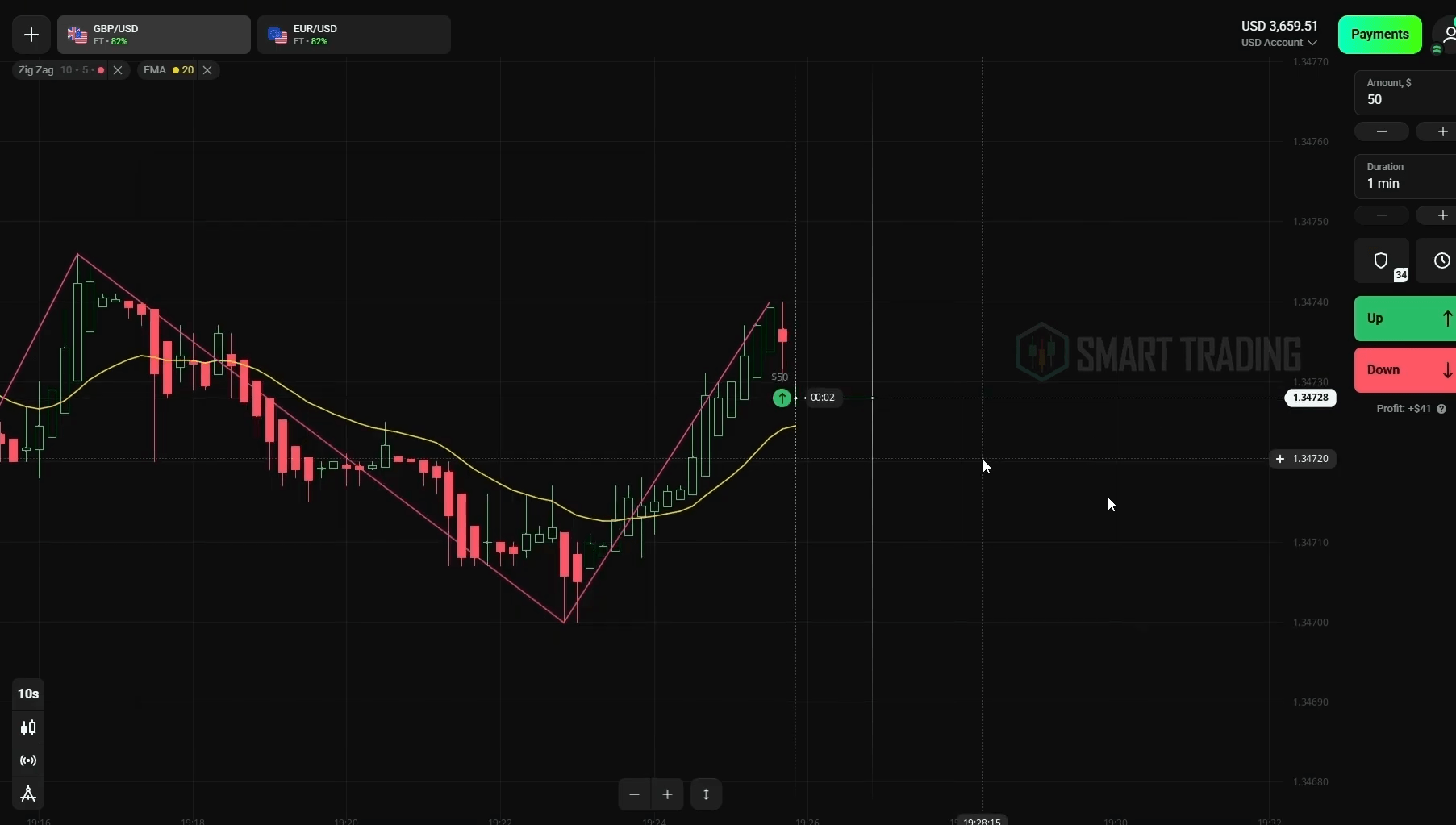
The trade confirmed the signal — the EMA held as dynamic support, the ZigZag extended upward, and we closed with a winning trade.
Why Heiken Ashi + ZigZag + EMA Works with AI
Each element in this setup serves a specific purpose:
- Heiken Ashi candles — smooth out price noise on the 10-second chart, making trend direction easier for both the trader and the AI to read. Individual candle wicks matter less; the overall body direction matters more.
- ZigZag indicator — identifies swing highs and swing lows in a clean, visual way. When the ZigZag is extending in one direction, it signals that the current trend leg is still active. When it reverses, a new leg may be beginning.
- EMA (period 20) — provides real-time momentum context. Price above the EMA signals upward momentum; below signals downward. The EMA doesn't lag as much as ZigZag on very short timeframes, which is why it works as a confirmation filter.
- PipGems AI Scanner — reads the full chart image, processes all three elements together, and returns a directional call (up or down) with a key observation explaining its reasoning. The AI sees patterns across all three indicators simultaneously, which is difficult to do manually at 10-second speed.
The combination is effective because no single element dominates. The AI uses all three inputs to generate its output — and when all three agree, the signal confidence is higher.
Risk Management for This Setup
Speed does not mean recklessness. The 10-second chart moves fast, but the risk rules are the same as any other session:
- Keep individual trade size below 2–3% of your account balance. Losing trades on a 1-minute duration happen — size so that a streak of losses doesn't wipe the session.
- Set a daily stop-loss. If losses reach 10% of your balance for the day, close the platform and stop trading. Come back the next session fresh.
- Skip medium-confidence signals when the EMA and ZigZag disagree. Both indicators should be pointing in the same direction as the AI's signal before you execute.
- Use demo mode first to verify your scanner settings are producing accurate signals before switching to a live account. One misconfigured setting in the AI Scanner can flip every signal.
Final Thoughts — What We Learned
This session produced four wins and one loss across five trades. The loss came when we were running on a single indicator (ZigZag only), and the fix was straightforward: add the EMA as a second confirmation layer and update the AI Scanner to match.
The broader takeaway is that PipGems AI Scanner is not a black box — it reads what you show it. If your chart has two well-configured indicators that align on direction, the AI has more to work with. Better input equals better output. Configure both your chart and the Scanner to match exactly, keep trades to the 1-minute duration, and let the dual-indicator confirmation filter out the low-probability setups.
If you want to build out a complete indicator toolkit for Olymp Trade and other platforms, see our full indicator library here.
Build Your Olymp Trade Toolkit
Get lifetime access to 100+ trading indicators and strategies including Heiken Ashi setups, ZigZag tools, EMA systems, and more — all compatible with MT4/MT5 and Olymp Trade.