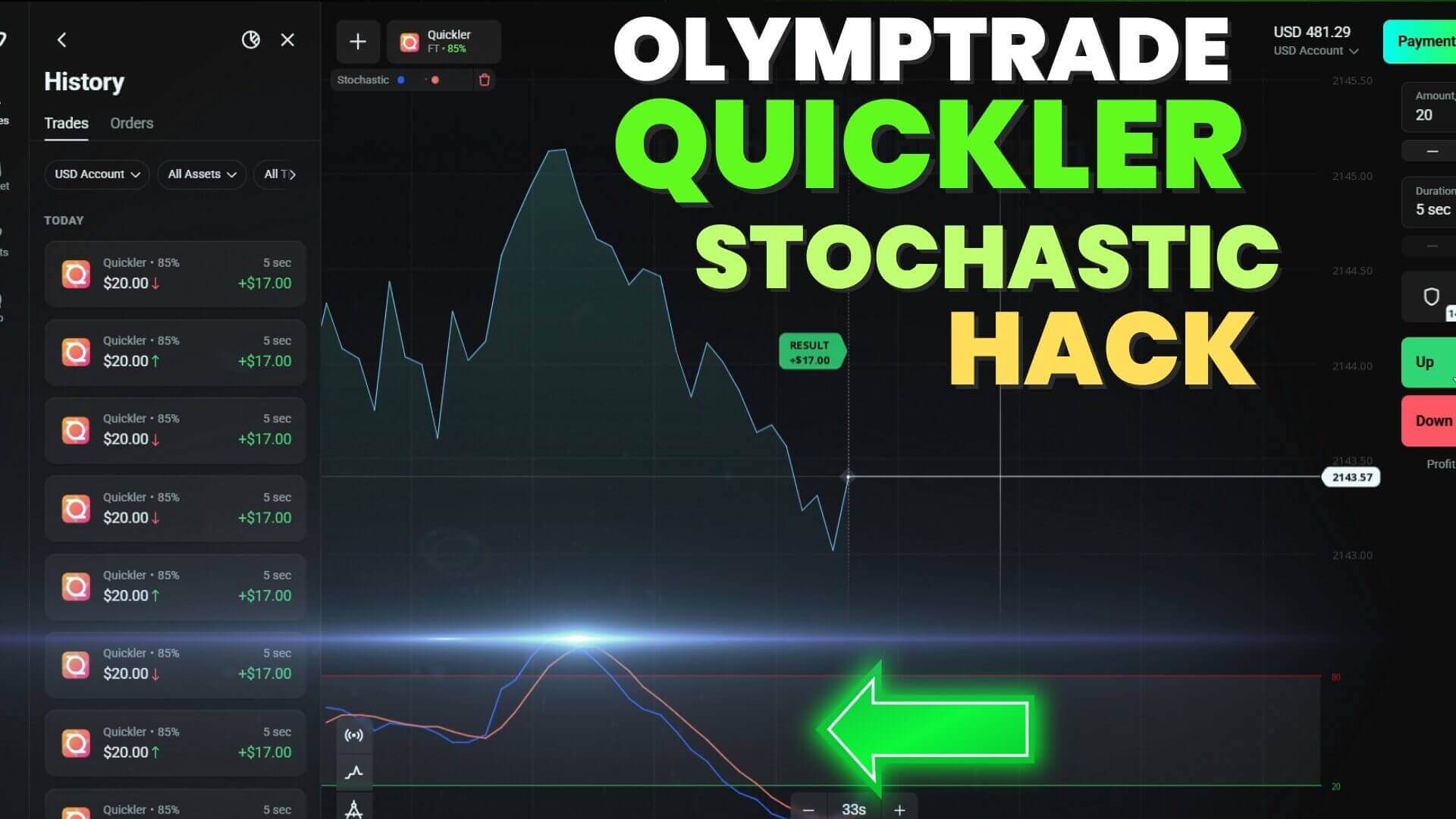
Olymp Trade Quickler Stochastic Setup for 5-Second Trades
The Quickler mode on Olymp Trade is built around a single idea: extremely short trades that open and close in about five seconds. Because the timeframe is so compressed, you need a tool that reacts quickly to short-term momentum, and the Stochastic Oscillator fits that job well. This guide walks through a straightforward Quickler setup using Stochastic, framed honestly: no indicator predicts the market, and five-second trading is high-risk by nature. The goal is a repeatable, rule-based approach you can study and test, not a shortcut.
How the Stochastic Oscillator Works on Fast Charts
The Stochastic Oscillator measures where the current price sits relative to its recent high-low range, plotting two lines (%K and %D) that move between 0 and 100. Readings above 80 are considered overbought, and readings below 20 are considered oversold. On a fast Quickler chart, these zones update very quickly, so the oscillator flags short bursts of momentum almost as they happen. The trade-off is that fast charts also produce more noise: the lines can swing into an extreme zone and snap back within a few candles. That is why the Stochastic works best as a filter, confirming price is stretched before you act, rather than a standalone signal.
Recommended Stochastic Settings
The original strategy did not specify exact inputs, so as a sensible starting point we suggest the standard 5, 3, 3 configuration (%K period 5, %K slowing 3, %D period 3). This is a slightly faster-reacting variant of the classic 14, 3, 3 and suits the compressed Quickler timeframe. Treat these numbers as a baseline, not a rule: open a demo chart, apply 5, 3, 3, and watch how the lines behave before committing. If the signals feel too jumpy, lengthen the %K period; if sluggish, shorten it. Keep the overbought (80) and oversold (20) levels in place so entries stay anchored to clear reference points.
Buy/Call and Sell/Put Entry Rules
The setup keeps the decision simple. For a Buy / Call, wait for both Stochastic lines to drop into the oversold zone below 20, then look for %K to cross back up through %D as price begins to turn higher. For a Sell / Put, wait for both lines to push into the overbought zone above 80, then look for %K to cross down through %D as price stalls and rolls over. The cross is the trigger; the extreme zone is the context. Trading every crossover regardless of zone is a common mistake, leading to entries in the middle of a range where the oscillator gives little edge. Patience for the setup matters more than the number of trades you take.
Timing and Risk for 5-Second Trades
Five-second expiries leave no room to manage a position once it is open, so all of your control happens before the entry. Pick liquid instruments during active market hours, avoid major news releases, and stand aside when the chart is choppy. Money management matters just as much: risk only a small, fixed fraction of your balance per trade, and set a daily limit for both the number of trades and the amount you are willing to risk. Fast trading rewards discipline far more than speed. For the full library of tools and strategies, see our pricing page.
Related Quickler and Stochastic Strategies
A few of our other guides pair well with this setup. Our Olymp Trade 5 Seconds Quickler guide also leans on the Stochastic Oscillator, this time alongside the Aroon indicator. The Olymp Trade Quickler 5 Second Strategy uses a Bollinger Bands setup on the same fast timeframe, a useful contrast to the oscillator approach. And if you prefer momentum-based confirmation, the Quickler 5 Seconds MACD Settings post covers a rule-driven method for the same Quickler mode.
FAQ
What Stochastic settings should I use for Quickler?
A 5, 3, 3 configuration is a reasonable starting point for the fast Quickler timeframe, keeping the standard 80 and 20 zones. Test it on a demo chart and adjust the %K period up or down until the responsiveness matches how you like to read price.
Is the 5-second Quickler mode suitable for beginners?
It is one of the more demanding formats because entries happen so quickly and there is no time to manage an open trade. New traders are usually better served by practicing the entry rules on a demo account first and using strict money management before considering any real funds.
Can the Stochastic Oscillator confirm every entry?
No single indicator confirms every trade, and the Stochastic is no exception. It highlights overbought and oversold conditions, but it can stay stretched during strong trends. Use it as one filter within a full set of rules rather than a signal you follow on its own.
This content is for educational purposes only. Trading involves risk. Past results do not guarantee future outcomes. Always practice responsible money management and limit your daily trades to avoid large losses.