Pipgems Live Trading Signals with Olymp Trade
Olymp Trade is a fast fixed-time trading platform where each position closes on a preset expiry, so the only question that matters is whether price will be higher or lower when the timer runs out. PipGems is an AI-powered scanner that watches multiple charts at once and flags moments where a CALL (up) or PUT (down) condition is forming, attaching a confidence rating to each alert. Read this first: a PipGems signal is decision support, not a prediction. The confidence rating is not a win probability. It only reflects how well the current chart matches the scanner's pattern. Your job is to confirm each signal against live price action and the prevailing trend before you ever act on it.
What PipGems Actually Flags
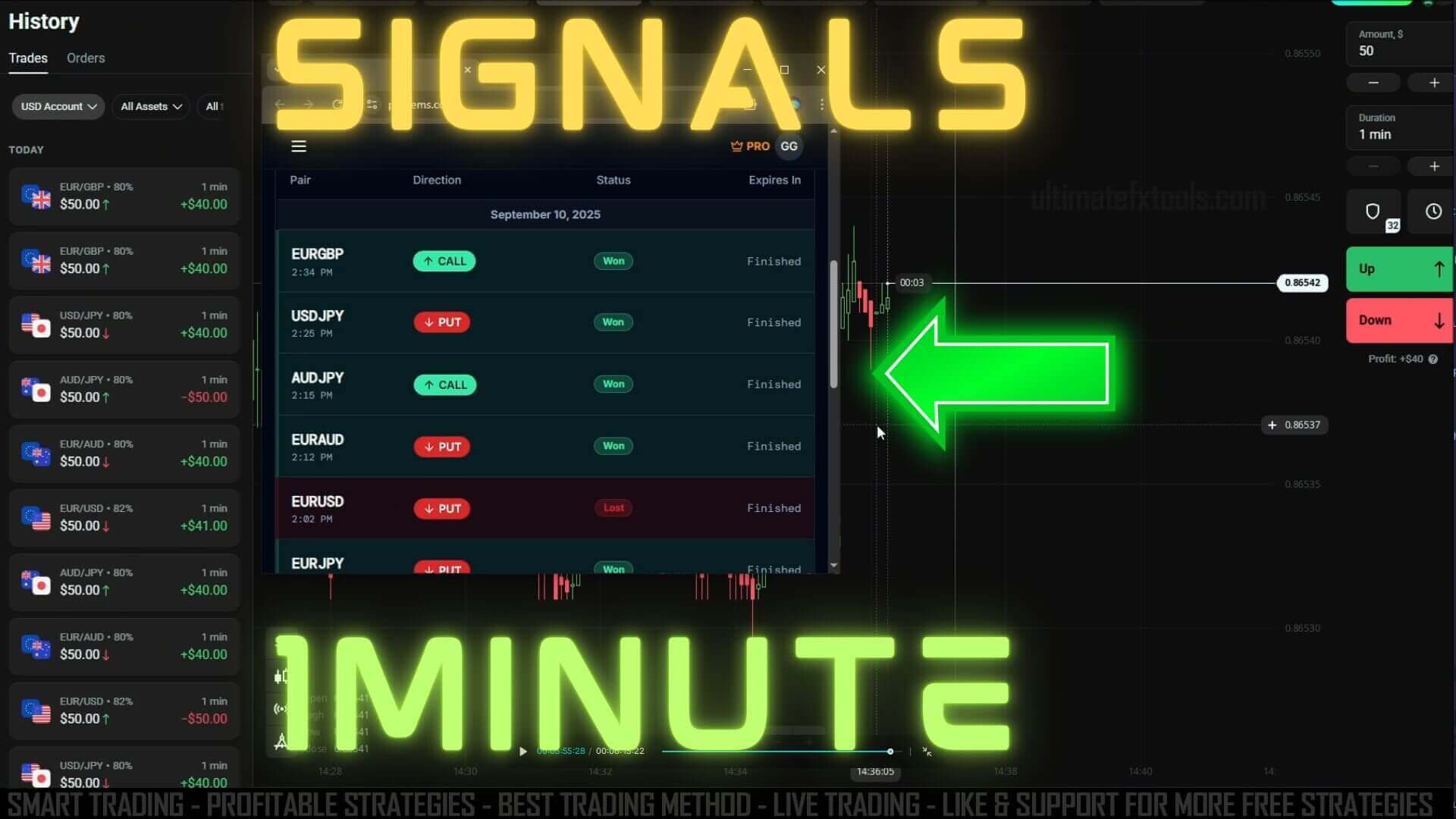
PipGems scans a watchlist of currency pairs and other assets, then prints a signal when its rules line up: a direction (CALL or PUT), the asset, a suggested expiry, and a confidence rating. The scanner does the tedious part of monitoring many charts so you do not miss a setup, but it does not know what your Olymp Trade platform actually offers, and it cannot see the next candle. Treat every alert as a prompt to look at the chart yourself, not as an instruction to click.
How to Read and Confirm a Signal
When an alert appears, run a short checklist before committing. Filtering out the signals that fail this check is the single biggest factor in trading with more consistency instead of chasing every alert:
- Asset availability: only act on signals for assets your Olymp Trade platform actually lists, so you are not forcing a trade on a pair you cannot cleanly enter.
- Trend agreement: a CALL should appear while price is holding above recent support and making higher lows; a PUT should appear while price is failing under resistance. If the signal fights the visible trend, skip it.
- Price action: wait for the current candle to confirm the direction — a rejection wick, a clean break, or momentum in the signalled direction — rather than entering on the alert alone.
- Freshness: give your filters a minute to settle after you change them so you are reading a current signal, not a stale one.
Setting Up PipGems for Olymp Trade
- Create a PipGems account and open its live signal feed alongside your Olymp Trade chart.
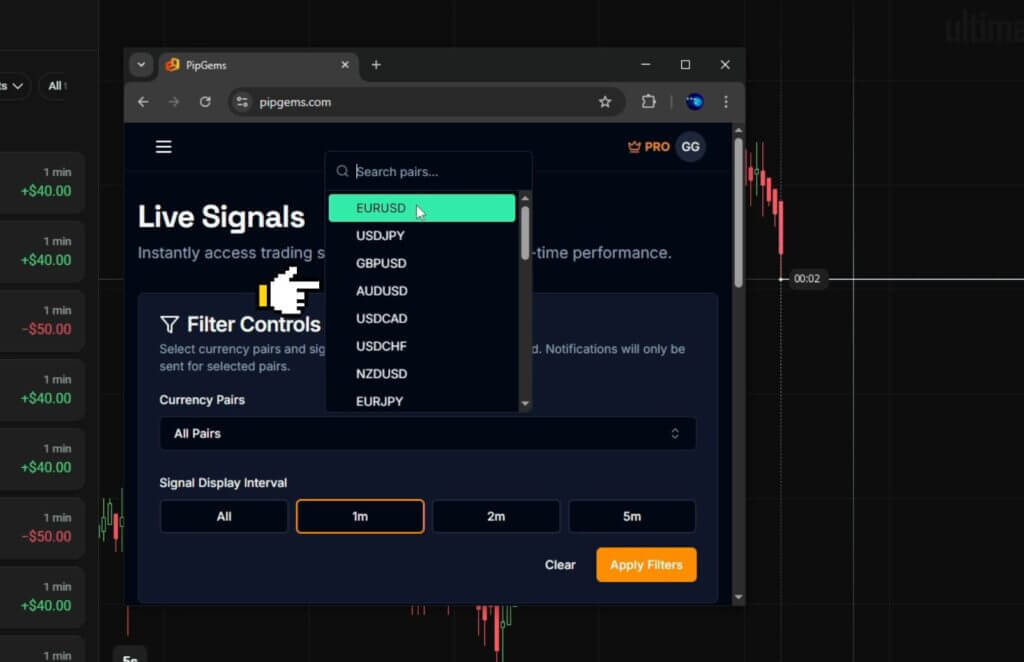
- Apply asset filters based on what your Olymp Trade platform offers, so alerts only cover pairs you can trade.
- Set the signal display interval to one minute to match a short fixed-time expiry and reduce alert spam.
- Wait a full minute after changing filters to confirm they are active before you read any new signal.
- Keep a trading log of what you took, what you skipped, and why, so you can review your own decisions later.
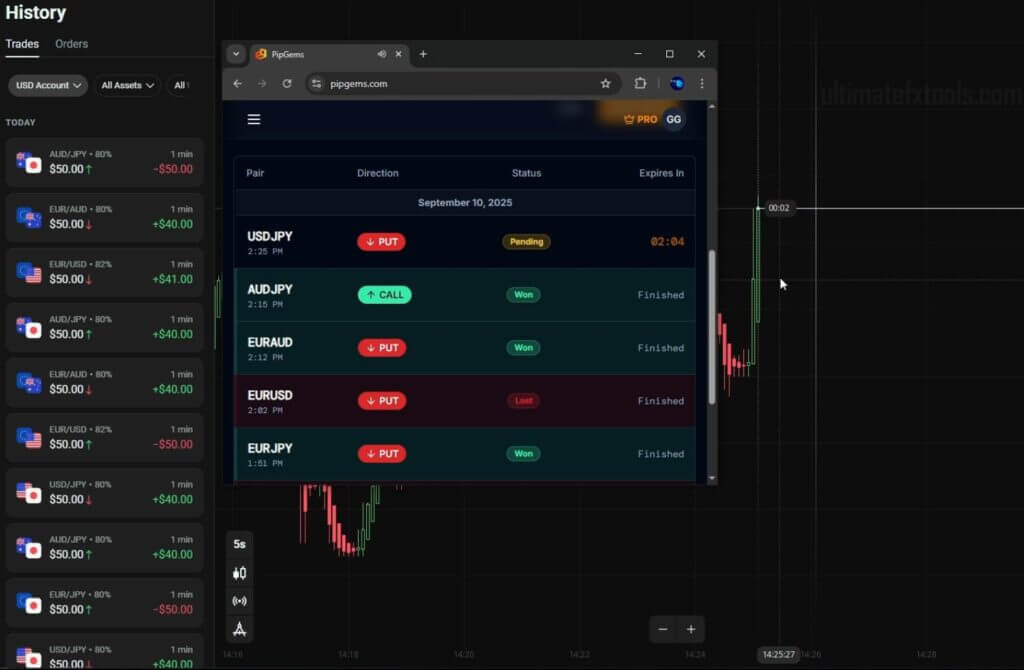
When the Method Fails
The biggest gap to understand is that live trading is not a backtest. A signal that looked clean in review has to survive real execution: on a one-minute expiry, a second of hesitation, a slow tap, or a fast-moving candle can turn a reasonable entry into a poor one, and slippage plus emotion both work against you in ways historical charts never show. PipGems also struggles in choppy, directionless markets, where alerts fire on both sides and none of them follow through. In those conditions the right move is to trade less, not more. And a warning worth stating plainly: never chase losses by doubling your stake after a losing trade. That martingale-style escalation does not fix a bad read — it just turns a small, manageable loss into a large one very quickly. Stake a small, fixed fraction of your balance per trade, cap how many trades you take in a session, and stop for the day once you hit a preset loss limit. Practising the whole routine on a demo balance until the reads feel automatic is the cheapest way to learn where this method breaks.
FAQ
Does a higher PipGems confidence rating mean the trade will win?
No. The confidence rating describes how well the current chart matches the scanner's pattern — it is not a win probability and it does not guarantee an outcome. Losing trades are a normal part of fixed-time trading. Confirm every signal against trend and price action, and let consistent risk management, not any single rating, guide how much you risk.
Do I need to pay for PipGems to use it with Olymp Trade?
PipGems is a separate signal app, and it is included free for a trial period with an UltimateFXTools $39 lifetime plan. You can also explore it on its own; either way, the workflow of filtering and confirming signals is the same.
What timeframe and expiry work best?
This setup is built around a one-minute display interval matched to a short fixed-time expiry, which suits the fast reversal style the scanner flags. If the market is choppy, reading on a slightly longer interval can cut down on false alerts. For related short-timeframe methods, see the Olymp Trade 1 minute strategy and this guide to the best Olymp Trade signal for 1 minute.
This content is for educational purposes only. Trading involves risk. Past results do not guarantee future outcomes. Always practice responsible money management and limit your daily trades to avoid large losses.