Unlock Trading with Sniper Pro Version 3.01
Binary Sniper Pro Version 3.01 is an arrow and alert signal indicator built for MetaTrader 4 and MetaTrader 5, and it is part of the toolkit available on this site. Instead of asking you to stare at price all day, the indicator watches the chart for you and prints a clear buy/call or sell/put arrow the moment its conditions line up, backing that arrow with a pop-up and sound alert. The point of the tool is not to remove your judgement but to give you a repeatable, rule-based starting point so your decisions become more consistent from one session to the next.
The disciplined way to trade any signal indicator is to treat every arrow as a suggestion that still has to pass your own checklist. That means confirming the trend, waiting for the candle to close, sizing your position sensibly, and capping how many trades you take per day. Traders who follow the signals mechanically and skip that discipline tend to give back their gains, while those who filter each alert against a simple set of rules build a steadier routine. The sections below walk through how the V3 signals form and how to trade them responsibly.
How the V3 Signals Work
Binary Sniper Pro V3 is a reversal-style signal engine. It analyses recent price momentum and swing structure, and when the market stretches away from its short-term average and shows signs of turning, the indicator plots an arrow in the direction of the expected move. A buy/call arrow appears beneath a candle when it detects a potential upward reversal, and a sell/put arrow appears above a candle when it detects a potential downward reversal. Each arrow is paired with an on-screen alert so you never miss a setup, even if you step away from the screen.
Because it is a reversal tool, the strongest signals tend to appear after price has already pushed hard in one direction and looks over-extended. Reading the arrow together with the surrounding candles — rather than in isolation — is what separates a clean setup from a weak one.
Recommended Settings
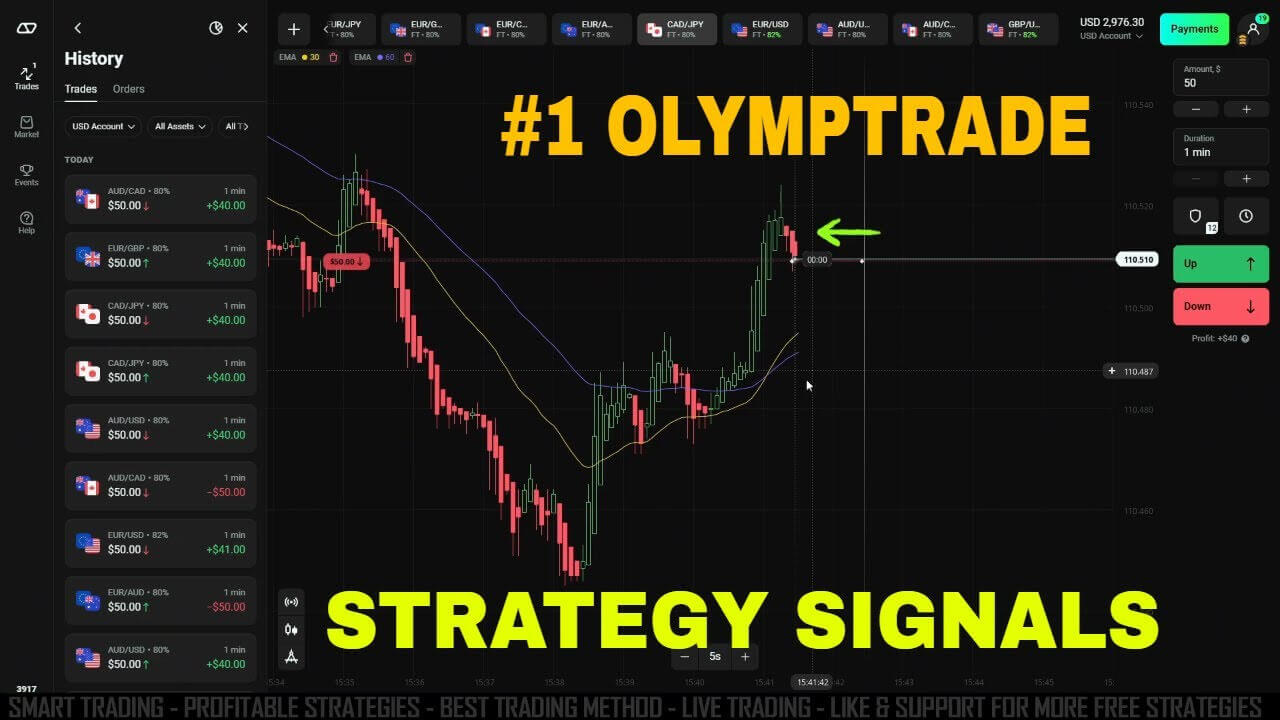
The indicator works well alongside two exponential moving averages that act as a trend and momentum filter:
- EMA period 30 (yellow line) — your faster trend reference for the current move.
- EMA period 60 (purple line) — your slower reference for the broader direction and for gauging how far price has travelled.
Keep the two EMAs on the same chart as the Sniper Pro arrows. When an arrow prints while price sits well away from both EMA lines, the market is often stretched and more likely to snap back toward them — exactly the kind of reversal the indicator is designed to catch. When price is coiled tightly around the EMAs, signals are noisier, so it is usually better to stand aside and wait for cleaner separation.
Buy/Call and Sell/Put Rules
Use a simple, repeatable checklist for every alert:
- Wait for the signal. Let the indicator do the scanning and alert you to a buy/call or sell/put setup.
- Check the distance from the EMAs. For a buy/call, you want price extended below the EMA lines and an up arrow suggesting a reversal higher. For a sell/put, you want price extended above the EMA lines with a down arrow suggesting a reversal lower.
- Wait for the candle to close. Confirming the signal on a closed candle helps you avoid acting on an arrow that could still change while the candle is live.
- Execute and manage. Once the conditions are met, place the trade and let your predefined expiry and risk rules run — do not chase or double up after a losing trade.
Best Timeframe, Expiry and Risk Discipline
Binary Sniper Pro V3 is most commonly used on fast intraday charts, from the 5-second and 1-minute timeframes up to the 5-minute chart. A good rule of thumb is to match your expiry to the timeframe you are reading — for example, a signal read on the 1-minute chart pairs naturally with a 1-minute expiry. Lower timeframes give more signals but more noise, so many traders find the 1-minute chart a sensible balance while they learn the tool.
Risk discipline matters more than any single setting. Keep each trade to a small, fixed percentage of your balance, decide your daily trade limit before you start, and stop once you hit it — win or lose. Test the indicator on a demo account first so you understand how its signals behave in different market conditions before committing real funds. Binary Sniper Pro V3 is included in the full toolkit, so if you want the indicator plus every other tool on the site you can unlock everything through the $39 lifetime access package.
Related Sniper Pro Guides
If you want more depth on this indicator family, these guides pair well with the V3:
- Binary Sniper Pro V3 overview — the core walkthrough of the V3 signal indicator.
- Binary Sniper Pro indicator — the original one-minute reversal tool this series is built on.
- Two EMAs with Sniper Pro V3 — a detailed look at combining the dual-EMA filter with the arrows.
FAQ
Does Binary Sniper Pro V3 repaint its signals?
Treat any arrow as final only once the candle it prints on has closed. The disciplined approach is to wait for the closed candle before acting, which removes the doubt about whether a live signal might still shift and keeps your entries consistent.
Which platforms does it run on?
The indicator is delivered as a MetaTrader 4 (.ex4) and MetaTrader 5 (.ex5) file, so it runs directly on MT4 and MT5. Many traders read the chart on MetaTrader and then place their binary options trades on the platform of their choice.
What is the best timeframe to start with?
The 1-minute chart is a practical starting point: it produces enough setups to learn from without the extreme noise of the very fast timeframes. Match your expiry to the chart you are reading and adjust only once you are comfortable with how the signals behave.
This content is for educational purposes only. Trading involves risk. Past results do not guarantee future outcomes. Always practice responsible money management and limit your daily trades to avoid large losses.