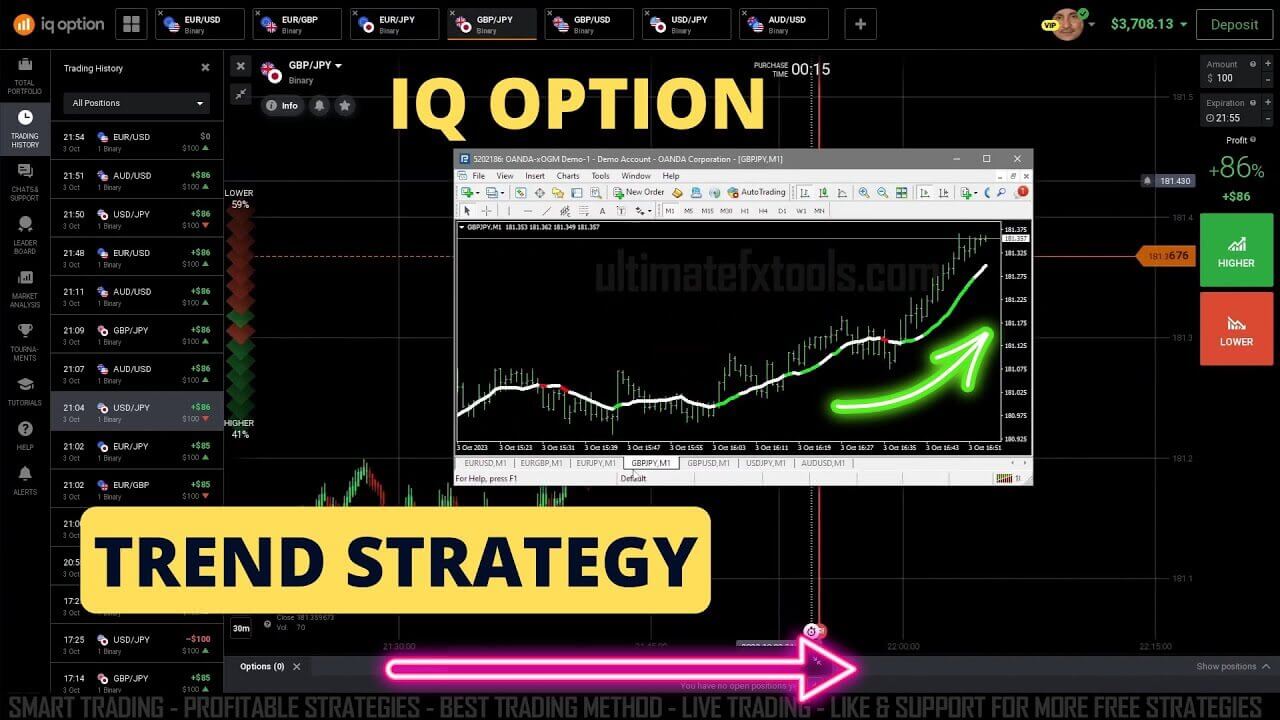
Trading Strategy with IQ Option - Trend Strategy with Dream X Indicator
The Dream X indicator is one of the arrow and signal tools available here at UltimateFXTools, built to help you read the direction of a currency pair at a glance. It runs on the MetaTrader 4 platform, plots simple up and down arrows directly on your chart, and is designed to keep the decision process clear rather than clutter the screen with dozens of lines. In this strategy we pair Dream X with IQ Option: the signal is generated and read inside MetaTrader, and the actual call or put position is placed on the IQ Option platform.
The workflow is intentionally straightforward. You attach Dream X to a clean MetaTrader chart of the pair you want to follow, watch for a fresh arrow to print, and then mirror that direction on IQ Option with a short-duration trade. Because MetaTrader charting and IQ Option run side by side, you keep your analysis on one screen and your execution on the other. This separation is useful for beginners because it slows you down and forces you to confirm the signal before committing to a position.
How Dream X Signals Work
Dream X reads momentum and trend direction on the pair you attach it to and prints an arrow when its internal conditions line up. A green up arrow points to bullish pressure and suggests a call, while a red down arrow points to bearish pressure and suggests a put. The goal of the indicator is to filter out most of the sideways noise so the arrows you do see are tied to a clearer directional move. Treat each arrow as a prompt to check the chart context, not as an instruction to trade blindly.
Recommended Settings
Start with the default Dream X inputs before you change anything, since the defaults are already tuned for short-duration IQ Option trading. Keep your MetaTrader chart clean so the arrows stand out, and consider loading a second currency pair in its own window so you have more than one opportunity to watch without over-trading a single chart. If you adjust the sensitivity, change one input at a time and observe how the arrows shift on your demo account before moving to a live setup. Consistency in your settings matters more than constant tweaking.
Buy/Call and Sell/Put Rules
The rules are meant to be simple and repeatable. Enter a call on IQ Option when a fresh green up arrow prints and the recent candles are moving in the same upward direction. Enter a put when a fresh red down arrow prints and price is stepping lower. Wait for the signal candle to close before you act so you are not reacting to an arrow that is still forming. If the arrow appears against a strong opposing move, or the market looks choppy and directionless, it is better to skip that signal and wait for a cleaner one.
Best Timeframe, Expiry and Risk
Dream X is designed for short-duration trading, so a lower MetaTrader timeframe such as the 1-minute chart works well, with an IQ Option expiry that roughly matches one to a few candles of that timeframe. The key is to keep your expiry aligned with the chart you are reading rather than mixing a fast signal with a long expiry. On the risk side, use a small fixed stake per trade, decide in advance how many trades you will take in a session, and stop once you hit that limit. Practising on a demo account first lets you learn the rhythm of the arrows without pressure.
If you want a deeper walkthrough of the same tool, see our Perfect IQ Option Trend Strategy guide, and if repainting is a concern for you, compare it with the approach in our Genius FX Non-Repaint Indicator post. Dream X and every other tool referenced here are included with a single $39 lifetime membership.
FAQ
Does the Dream X indicator repaint or wait for the candle to close?
Dream X prints its arrows on your MetaTrader chart as its conditions are met, so the safest habit is to wait for the signal candle to close before you place a call or put on IQ Option. Acting only on confirmed, closed-candle arrows keeps your entries consistent and reduces the chance of reacting to a signal that shifts.
Which platforms does this strategy work with?
The signal itself is generated inside MetaTrader 4, and the trade is executed on the IQ Option platform. The same read-the-arrow, place-the-trade workflow can be applied on other short-duration platforms you use, as long as you keep your expiry aligned with the MetaTrader timeframe you are analysing.
What is the best timeframe for Dream X on IQ Option?
Because Dream X is built for short-duration trading, the 1-minute chart is a solid starting point, paired with an IQ Option expiry that covers roughly one to a few candles. Test the timing on a demo account first so you can see how the arrows behave before trading a live balance.
This content is for educational purposes only. Trading involves risk. Past results do not guarantee future outcomes. Always practice responsible money management and limit your daily trades to avoid large losses.