Pocket Option Live Signals With One Indicator: XProfit V2
Trading binary options on Pocket Option can feel overwhelming when your chart is crowded with five or six tools that all disagree with one another. This approach strips that clutter away and leans on a single indicator - XProfit Version 2 - to produce clear live signals for call and put entries. The idea is deliberately simple: one indicator, one reading, one decision. When there is only a single tool to watch, you spend less time second-guessing yourself and more time following your plan with discipline.
XProfit V2 is a reversal-focused indicator that plots arrows directly on the price chart. A green up arrow marks a possible turn to the upside, and a red down arrow marks a possible turn to the downside. Because the signal is visual and mechanical, a beginner can follow the same rules as a seasoned trader, and that simplicity is the real advantage of the method.
The Indicator and Its Settings
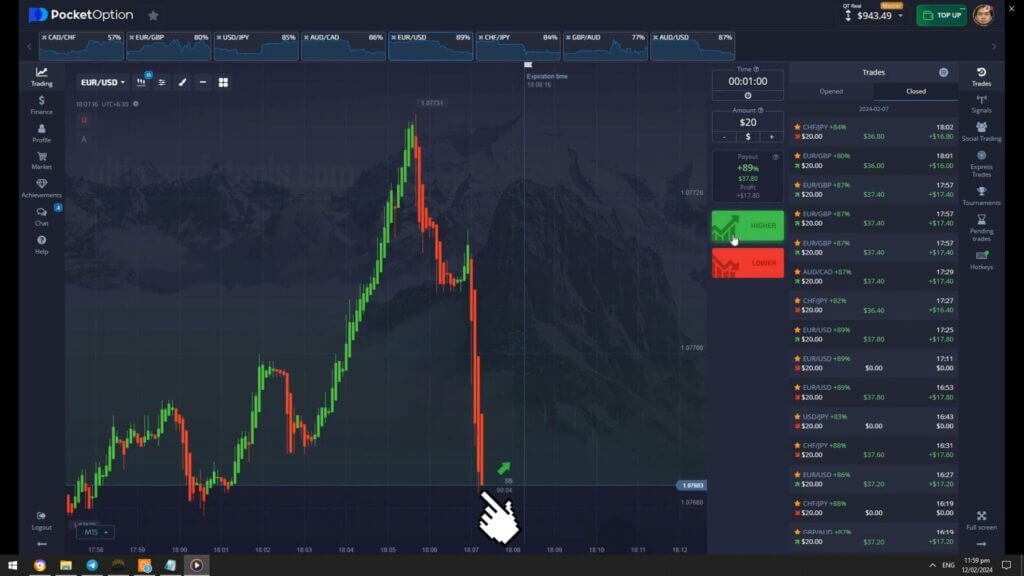
XProfit V2 loads as a custom indicator inside MetaTrader 4 or MetaTrader 5, and its signals are then mirrored on your Pocket Option chart using the same pair and timeframe. The default settings work well out of the box, but two values are worth understanding: signal sensitivity and the alert toggle. Keep sensitivity at the default so the indicator only prints an arrow when momentum genuinely shifts - lowering it too far floods the chart with weak signals. Turn on the pop-up and sound alert so you are notified the instant a fresh arrow appears, which matters on short expiries where a few seconds count. Above all, confirm every signal on a closed candle rather than a forming one, since an arrow can change while a candle is still open.
Buy / Call Rules
A call (buy) entry lines up when XProfit V2 prints a green up arrow below a candle after a visible pullback. Look for the arrow to appear near a level where price has recently bounced, and make sure the previous one or two candles show fading downside pressure. Once the candle carrying the fresh green arrow closes, place a call for your chosen expiry. Avoid taking a call signal that appears in the middle of a strong, uninterrupted downtrend - the cleanest reversals happen when price is stretched and starting to stall.
Sell / Put Rules
A put (sell) entry is the mirror image. Wait for XProfit V2 to print a red down arrow above a candle after price has pushed higher and begun to lose steam. The best put signals form near a recent resistance area where buyers are running out of room. When the candle holding the red arrow closes, place a put for the same expiry you use for calls. Skip any signal that fires against a fresh, powerful move, and never chase an arrow you missed - simply wait for the next clean setup instead.
Best Timeframe, Expiry, and Risk
This single-indicator method works best on the 1-minute chart with a matching expiry of 1 to 3 minutes, which gives each signal room to play out without exposing you to long stretches of noise. On Pocket Option's OTC pairs the signals tend to appear more often, so pick two or three pairs and learn how XProfit V2 behaves on each rather than jumping around. Risk control is where consistency comes from: keep each trade to a small, fixed percentage of your balance, decide on a daily trade limit before you start, and stop once you reach it - win or lose. No indicator removes risk, and treating XProfit V2 as a decision aid rather than a crystal ball is what keeps a rough session from turning into a rough week. Practice the rules on a demo balance until the entries feel automatic before you commit real funds.
Want to compare this with other clean setups? Look at the Pocket Option one-way signal method, learn how to mirror MetaTrader tools on your chart with the MT4 Pocket Option guide, or study another single-tool trend approach in the Super Trend indicator for Pocket Option. If you want XProfit V2 plus every other indicator and strategy in one bundle, everything is available on our pricing page for a single lifetime payment.
FAQ
Do I need MetaTrader to use XProfit V2 on Pocket Option?
Yes. XProfit V2 runs as a custom indicator inside MT4 or MT5, so you read its arrows there and then mirror the entries on the same pair and timeframe in your Pocket Option chart. Keeping both screens on the identical pair and timeframe is what makes the live signals line up.
What expiry should I set for each signal?
On the 1-minute chart, an expiry of 1 to 3 minutes suits this method best. Pick one expiry and keep it consistent across your session rather than changing it trade by trade, as that makes each result easier to review afterward.
Is a single indicator really enough?
For many traders it is. Using one indicator removes the conflicting readings that come from stacking several tools, so decisions are faster and clearer. The trade-off is that discipline and steady money management carry more of the weight, which is exactly why the risk rules above matter.
This content is for educational purposes only. Trading involves risk. Past results do not guarantee future outcomes. Always practice responsible money management and limit your daily trades to avoid large losses.