Trading with the Fractal Chaos Indicator on Pocket Option Mobile
Reversal trading tries to catch the moment a move runs out of steam and price turns the other way. It is one of the harder things to time, because a market that looks exhausted can keep going far longer than expected. This guide covers a straightforward reversal approach for the Pocket Option mobile app using the built-in Fractal Chaos Bands indicator, plus the confirmation and risk rules that matter.
Mobile Means Built-In Indicators Only
This is the single most important point for anyone trading from a phone. Custom MT4/MT5 indicators — the .ex4 and .ex5 files you load onto a desktop platform — do not run inside the Pocket Option mobile app. There is no way to import them there. A genuine mobile strategy has to be built from the indicators the app already ships with, and Fractal Chaos Bands is one of them. Everything below uses tools you can add directly from the chart's indicator menu.
Reading Fractal Chaos Bands for a Reversal
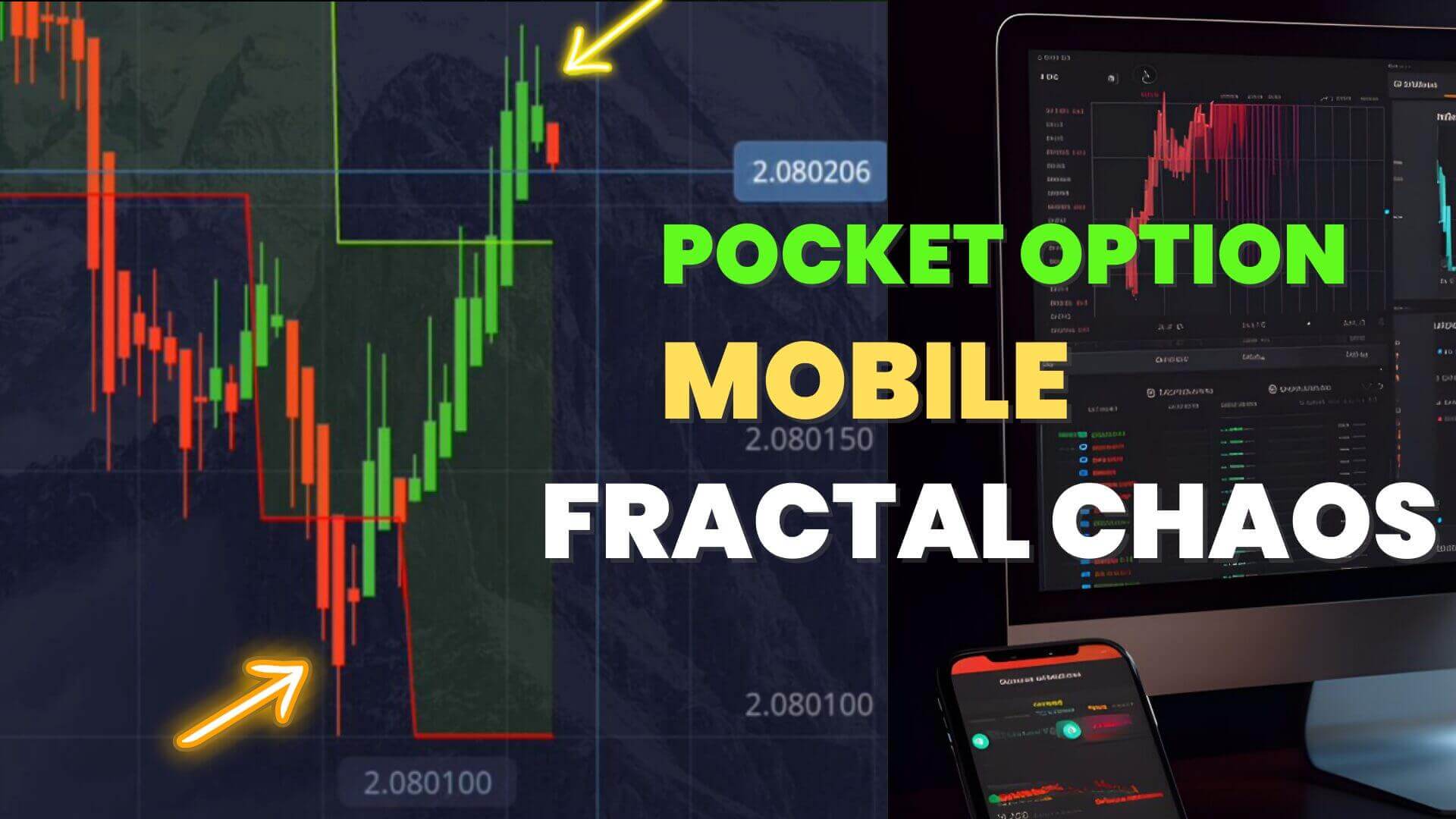
Fractal Chaos Bands plot an upper and lower boundary from recent fractal highs and lows. When price pushes to a band and then fails to keep going, momentum may be fading. Add the indicator from the app's list, then watch for these conditions rather than acting on the band alone:
- Price stretches to the upper or lower band and then stalls, printing a candle that closes back inside the band.
- The candle that turns back has a visible wick into the band — a sign the push was rejected.
- The turn lines up with a level that already mattered on the chart, such as a prior swing high or low.
Switching the chart to Heikin Ashi candles can make a stall easier to see, because it smooths minor noise. It also lags real price, so treat it as a reading aid, not a trigger.
Timeframe and Entry Rules
Reversals need confirmation, not a single flag. Rather than firing the instant price touches a band, wait for a second signal to agree. A conservative filter is to add a built-in oscillator such as RSI or the DeMarker and only take the trade when it is stretched the same way — for example, reading near its overbought zone as price rejects the upper band. Give the setup room by working on one- to five-minute charts instead of ultra-fast tick expiries, where a single stray tick decides the outcome. Enter only after the reversal candle has closed, and skip the setup entirely when the market is trending hard — bands get pierced repeatedly in a strong trend, and fighting it is where reversal traders lose the most.
Why Reversals Fail So Often
It helps to be honest about this. Many band touches do not reverse; price simply pauses and continues. Trends can run far past the point where they look overextended, and counter-trend entries sit on the wrong side of that momentum. No indicator predicts a turn — Fractal Chaos Bands describe what price has already done, and the "signal" is only a condition that sometimes precedes a reversal. That is why the confirmation filter and trend check above matter, and why you should expect a meaningful share of these trades to lose.
Risk Management
You will see advice telling you to double your stake after a losing trade to "recover" the loss. Do not do this. Martingale staking assumes a win is due, but each short-term trade is an independent event, and a losing streak compounds fast — every double makes the next break-even stake larger until it exceeds your balance and empties the account. A single bad run is all it takes.
Instead, use fixed-fractional staking: risk the same small percentage of your balance on every trade, win or lose. Set a hard per-session loss cap — stop for the day after a set number of losing trades or a set drawdown — so no single session can do lasting damage. This controls risk; it does not make short-term trading safe. Practise on a demo balance first.
Frequently Asked Questions
Do custom MT4/MT5 indicators work on the Pocket Option mobile app?
No. Custom .ex4/.ex5 indicators cannot be loaded into the mobile app — it only runs its own built-in indicators, such as Fractal Chaos Bands, RSI and DeMarker. Custom files belong on a desktop charting platform, not your phone.
Does this strategy win every trade?
No. No strategy wins every trade, and reversal setups fail often because trends can run further than they look able to. Treat each Fractal Chaos flag as one input, confirm it with a second signal, and size every position so a losing streak cannot hurt you.
What is the best timeframe for this on mobile?
One- to five-minute charts give confirmation time to form and are more forgiving than ultra-fast tick expiries. Test on a demo balance before risking real money.
For more app-based ideas, compare the Pocket Option AI strategy, the OsMA and Vortex approach, or the single-signal setup. For our full desktop MT4/MT5 toolkit, lifetime access is $39.
This content is for educational purposes only and is not financial advice. Trading involves substantial risk; you can lose some or all of your capital. No result is guaranteed and past performance does not indicate future results. Trade only what you can afford to lose.