Enhancing Expert Option Trading with XProfit and MACD
"Enhancing performance" on Expert Option is not about chasing a magic signal — it is about building a repeatable process where indicators, chart reading, and personal discipline all point the same way before you commit a stake. This walkthrough pairs the XProfit Indicator with a standard MACD filter and, more importantly, wraps them in a set of rules you can actually stick to.
What "Enhancing Performance" Actually Means
Real improvement usually comes from three habits rather than a single tool. The first is confluence: instead of acting on one alert, you wait for a second, independent signal to agree with it. Here the XProfit alert flags a possible direction, and MACD is used only as a secondary filter — if MACD does not support the same read, you skip the trade. The second habit is discipline: a fixed position size, a set number of trades per session, and a daily stop that you honour even when you feel like pushing on. The third is journaling: logging every entry, the reason you took it, and the outcome, so patterns in your own behaviour become visible over time.
Chart, Timeframe and Entry Approach
In this example an XProfit buy alert appears for USD/CHF, which you can pull up quickly through the Expert Option search bar. Rather than firing immediately, treat the alert as a prompt to analyse the chart, not a command to trade.
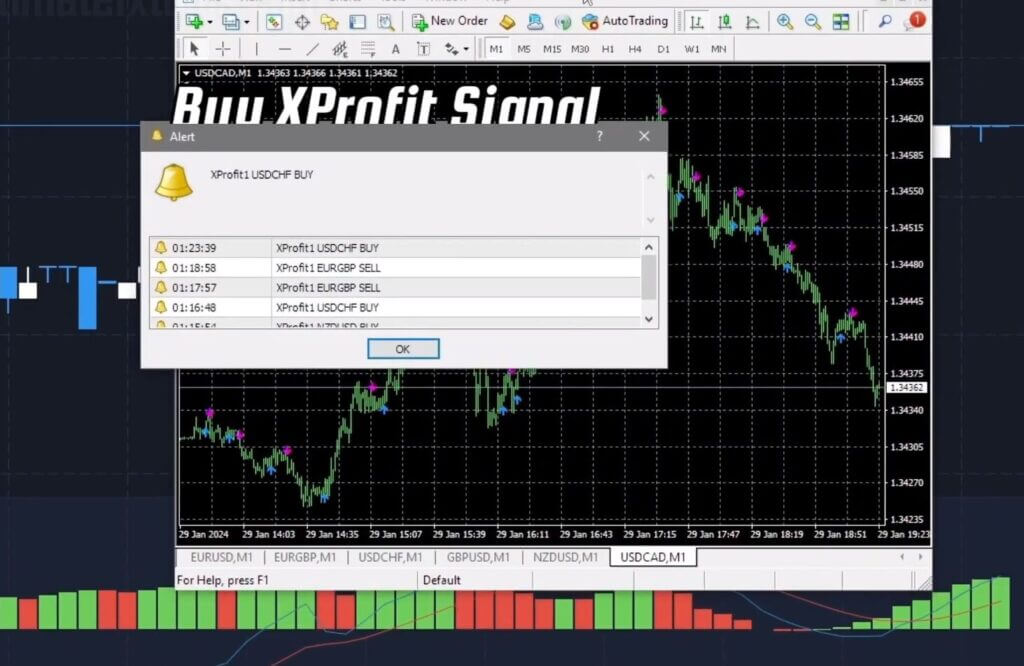
Match your expiry to the timeframe you are reading. On short expiries the market is noisier, so keeping the chart, the alert, and MACD on consistent settings helps you avoid second-guessing. If the MACD histogram and signal line disagree with the alert direction, that disagreement is itself useful information — it is a reason to wait.
Reading a Signal in Context
As the chart develops, watch how price behaves at the levels that matter. In the example below, a downward move stalls and a green candle prints, which may hint at a reversal — but a single candle is not confirmation.
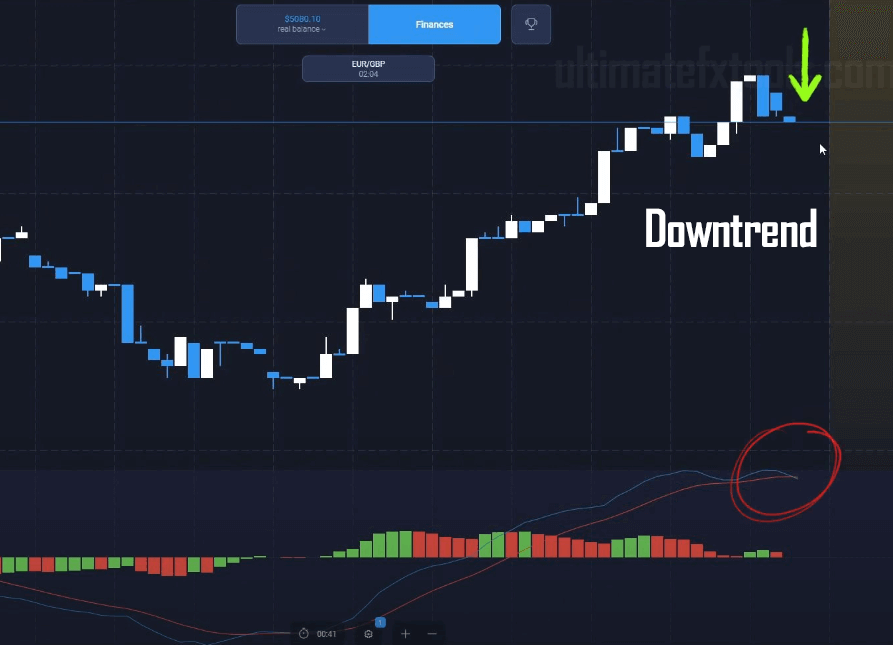
Wait for MACD to line up and for the structure to hold before committing, and once you are in a trade, resist the urge to immediately chase another pair. Patience between setups is part of the method, not a delay in it. If you want more worked examples on this platform, the best Expert Option strategies of 2024 and our Expert Option MACD with alerts guide cover related setups.
Risk Management
No indicator combination removes the possibility of a losing trade, so risk control is what keeps you in the game long enough to learn. Keep each stake to a small, fixed percentage of your balance, and set a daily loss cap — once you hit it, stop for the day. A word of caution on martingale: doubling stakes after a loss is not a strategy, it is a fast route to a blown account. Every binary trade is independent, so a run of losses says nothing about whether the next one recovers your stake. Use a flat stake instead. Note too that binary options are banned for retail clients in the EU and UK, so only trade where it is legal for you to do so.
Realistic Expectations
Treat XProfit and MACD as decision-support tools, not a crystal ball. Some sessions will be flat, some negative, and progress is measured over many trades rather than any single one. If you decide the full toolkit is worth exploring, all our indicators are available for a one-time $39 lifetime purchase — but the discipline above matters far more than any download.
Frequently Asked Questions
Does this strategy win every trade?
No. No strategy, indicator, or signal wins every trade, and anyone claiming otherwise is not being honest with you. Confluence and discipline aim to improve the quality of your decisions and control your losses — not to guarantee an outcome.
Do I need both XProfit and MACD?
The point of using two is confluence: a second, independent read that has to agree before you act. You can use MACD alone, but pairing it with the XProfit alert gives you a clearer filter for skipping weak setups.
What timeframe and expiry should I use?
There is no single correct answer — it depends on how you read the chart. Keep your expiry consistent with your analysis timeframe, start on a demo account, and only scale up once your journal shows the process is working for you.
This content is for educational purposes only and is not financial advice. Trading involves substantial risk; you can lose some or all of your capital. No result is guaranteed and past performance does not indicate future results. Trade only what you can afford to lose.