"AI Chart Scanner"
"Expert Option Strategy"
"Bollinger Bands Strategy"
Master Your Trades: How to Sync an AI Chart Scanner with Expert Option Using Bollinger Bands
The key to modern trading efficiency lies in leveraging artificial intelligence to work smarter, not harder.
In this comprehensive guide, we’ll break down how you can combine the power of the Pipgems AI Chart Scanner with your Expert Option platform, using a precise Bollinger Bands strategy to filter out the noise and focus on high-probability opportunities.
Why Combine an AI Chart Scanner with Expert Option?
Manual trading has its limits. Even the most disciplined traders can suffer from fatigue, emotional bias, and inconsistency. Here’s where the game changes:
24/7 Market Scanning: The AI works around the clock, monitoring multiple assets and timeframes simultaneously.
Eliminate Emotion: It identifies setups based purely on data and your pre-defined rules.
Speed and Efficiency: Get real-time alerts the moment a potential trade appears, allowing you to act fast on Expert Option.
Enhanced Discipline: You only take trades that meet your strict, algorithmic criteria.
The synergy is simple: Let the AI be your analyst and Expert Option be your execution platform.
The Core of the Strategy: Bollinger Bands® Explained
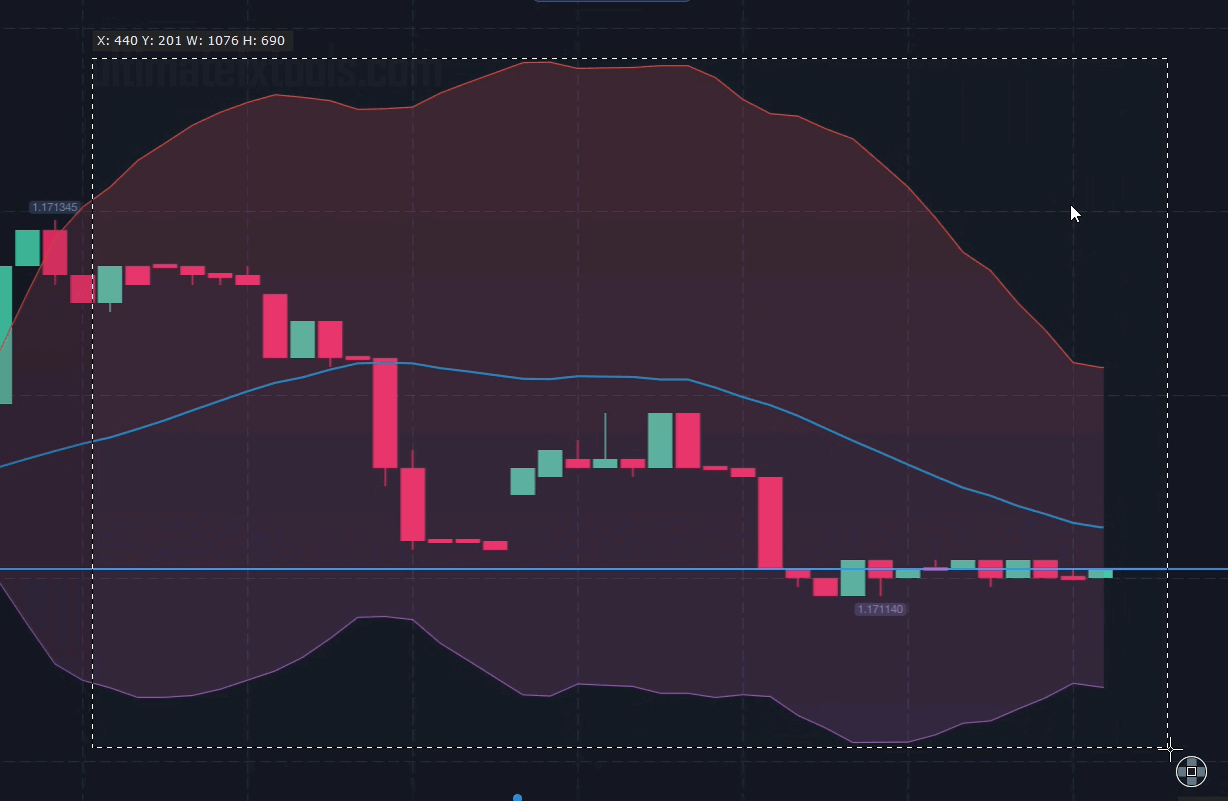
Bollinger Bands are a quintessential volatility indicator created by John Bollinger. They consist of three lines:
Middle Band: A Simple Moving Average (SMA).
Upper Band: The Middle Band plus a standard deviation multiplier.
Lower Band: The Middle Band minus a standard deviation multiplier.
The bands expand during periods of high volatility and contract during low volatility, making them excellent for identifying potential "squeeze" breakouts and overbought/oversold conditions.
The Optimal AI Scanner Settings for Expert Option
For the Pipgems AI Chart Scanner to be most effective with Expert Option's dynamic markets, we recommend a specific configuration that balances responsiveness with reliability. These settings are designed to filter out false signals and catch strong, sustained trends.
Here are the exact settings to input into your AI scanner:
Indicator: Bollinger Bands
Period: 25
Deviation: 3
MA Type: SMA (Simple Moving Average)
Why These Specific Settings?
Period 25: This provides a smoother and more reliable moving average than the default 20-period, reducing market noise and focusing on more significant trends. It's excellent for capturing medium-term moves on platforms like Expert Option.
Deviation 3: A higher deviation (instead of the standard 2) widens the bands significantly. This means the AI will only alert you to powerful breakout moves that have enough momentum to push price beyond these wider boundaries, filtering out weaker, less reliable signals.
SMA Type: The Simple Moving Average provides a clear, unweighted average of price, which works perfectly with the wider bands to define the core trend without overcomplication.
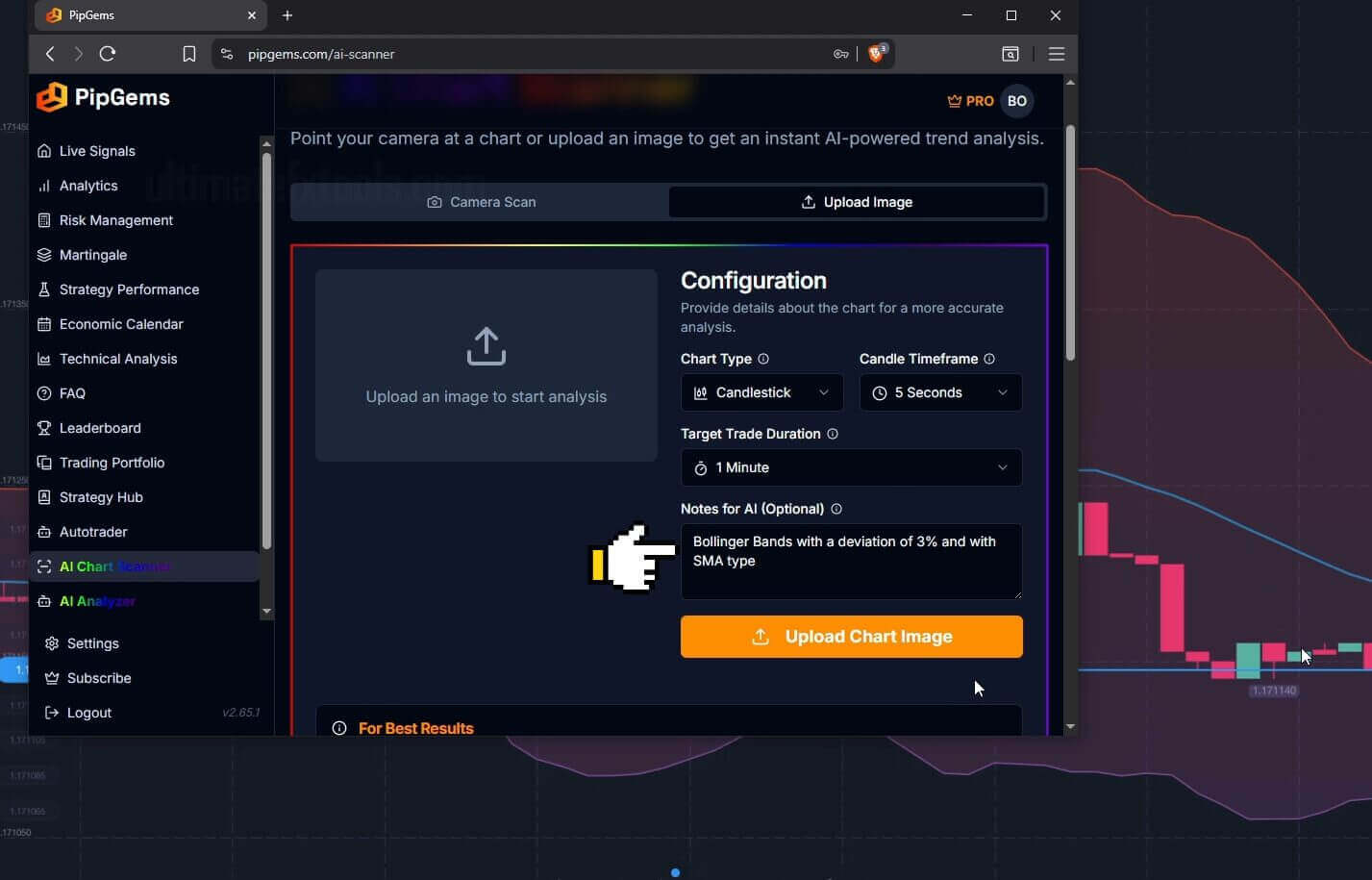
Step-by-Step: How to Sync the AI Scanner with Expert Option
Achieving perfect synchronization is critical for success. Follow these steps:
Set Up Your AI Scanner: Configure the Pipgems AI Scanner with the Bollinger Bands settings outlined above (25, 3, SMA). Set your preferred assets (e.g., EUR/USD, Gold, major indices) and timeframe (e.g., 5-minute or 15-minute charts are common for options trading).
Open Expert Option: Launch your Expert Option platform and navigate to the chart for the exact same asset and timeframe you configured in the AI scanner.
Apply the Same Indicator: For confirmation, apply the Bollinger Bands indicator directly to your Expert Option chart. Use the same settings: Period 25, Deviation 3, SMA.
Execute with Confidence: When the Pipgems AI Scanner sends you an alert, immediately check your Expert Option chart. You should see the same Bollinger Bands setup—for example, a candle closing decisively outside the band after a squeeze. This visual confirmation is your signal to enter the trade.
Pro-Tips for Maximum Results
Practice First: Use a demo account on Expert Option to test this synchronized system without risking real capital.
Combine with Price Action: For even higher accuracy, ensure the AI's signal aligns with basic price action. For instance, a breakout above the upper band with strong volume is more convincing.
Manage Your Risk: No system is 100% foolproof. Always use proper risk management techniques on Expert Option, such as setting strict stop-losses and only risking a small percentage of your capital per trade.
Conclusion: Trade Smarter, Not Harder
By integrating the Pipgems AI Chart Scanner with your Expert Option account and employing a disciplined Bollinger Bands (25,3,SMA) strategy, you transform your trading from a stressful, guesswork-heavy activity into a streamlined, systematic process.
The AI becomes your tireless scout, identifying opportunities in the market wilderness. All you have to do is take the shot on Expert Option. Embrace this powerful combination and start trading with the confidence and efficiency of a pro.
Ready to automate your trading edge? Start configuring your AI scanner today!
#AIChartScanner #ExpertOption #BollingerBandsStrategy #AITrading #TradingTips #OptionsTrading #ForexTrading #AlgorithmicTrading #PipgemsAI #TradingAutomation #FinancialFreedom #SMA #DayTrading #TradingSignals #TradingEducation